Every trade show has a moment when the organizer stops and does the math.
It’s not the budget math. It’s counting how many places the trade show lives in: the booth spreadsheet, the WhatsApp group with exhibitors, the standalone e-signature tool, the loose form, and the separate check-in system.
Each tool handles one part of the job well. However, none of them talk to each other. That’s why the team’s time goes into checking, copying, and searching — not into selling and serving.
I know you already know every stage of this operation: how to organize a business fair, how to sell booths, and what a sponsorship agreement should include. Now it’s time to put the pieces together.
In this article, you’ll see everything you can do when you organize a trade show on Even3:
- Before: booth map, sales, sponsorship tiers, contracts, circulars, and visitor registration;
- During: check-in, app, and lead capture;
- After: report, survey, certificates, and renewal.
More than a list of features, you’ll understand when to use each one and what it changes in your routine. Let’s go!
Why organize your trade show on Even3
Before the step-by-step, it’s worth understanding what changes when the trade show moves from five tools to a single platform: Even3.
In short, there are three gains, in this order:
- It simplifies. Exhibitors choose their booth, sign up, and pay on their own. Sponsors compare tiers without a meeting. That way, your team stops being the middleman for every request.
- It centralizes. Map, contracts, notices, visitors, and leads all live in the same record. In other words, when someone asks “was that notice sent?”, the answer is one click away.
- It generates revenue. Booths, tiers, extra items, and registrations all come in through the same checkout. In addition, the data the trade show generates becomes an argument for selling the next edition.
There’s also a fourth gain, which only shows up over time: the history stays.
If you organize the trade show for an association, union, or federation, you know how much this matters. The board changes every two years and, often, the trade show’s memory leaves with whoever leaves. But when everything is on the platform, the next administration finds contracts, exhibitors, and results in the right place.
Before the trade show: set up the commercial operation
This is where the trade show takes shape, and also where most of the work is. So let’s take it step by step.
1. Create the trade show page
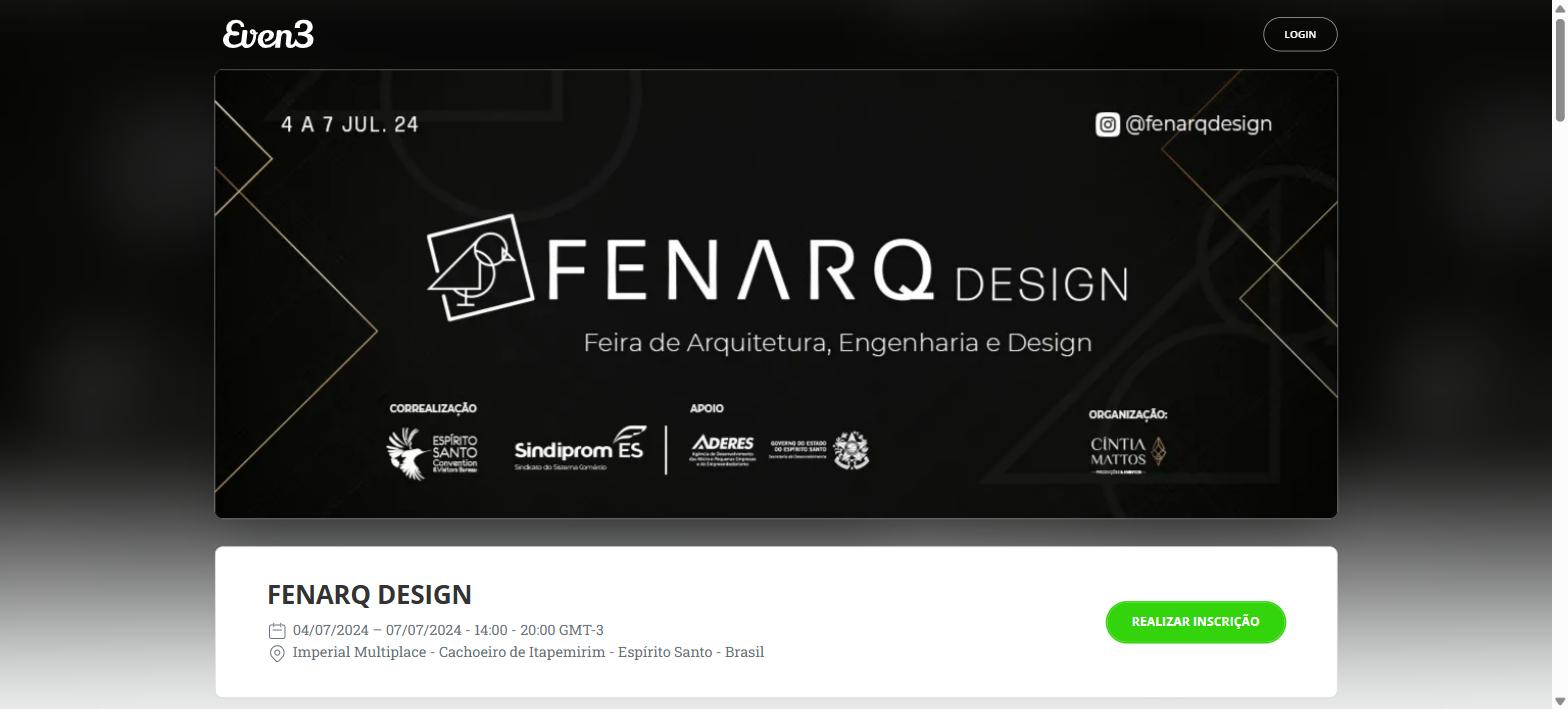
Everything starts with the event page. This is where visitors register, exhibitors find the map, and sponsors see the partner brands.
On the Even3 platform, you create this page in a few minutes, without needing a developer or designer. On it, you bring together:
- an overview of the trade show, date, and venue;
- the side program, if there are talks or business matchmaking sessions;
- the list of exhibitors and sponsors;
- visitor registration;
- FAQs and the organizers’ contacts.
Why does this matter? Because the page becomes the trade show’s single address. That way, every promotional material, email, and post points to the same place. In the end, visitors don’t get lost among different links.
2. Design the map and register the booths
With the page live, it’s time to turn the floor plan into a product.
In the Booths menu, you upload the floor plan for each hall (such as Hall 1, Hall 2, outdoor area) and register the spaces.
You can do this one by one, for booths with unique characteristics, or in bulk. With bulk registration, you set the prefix, start and end numbers, width, length, and price all at once.
Then, you create the categories (Island, Corner, Box, or Diamond, Gold, Silver) and set the price for each one.
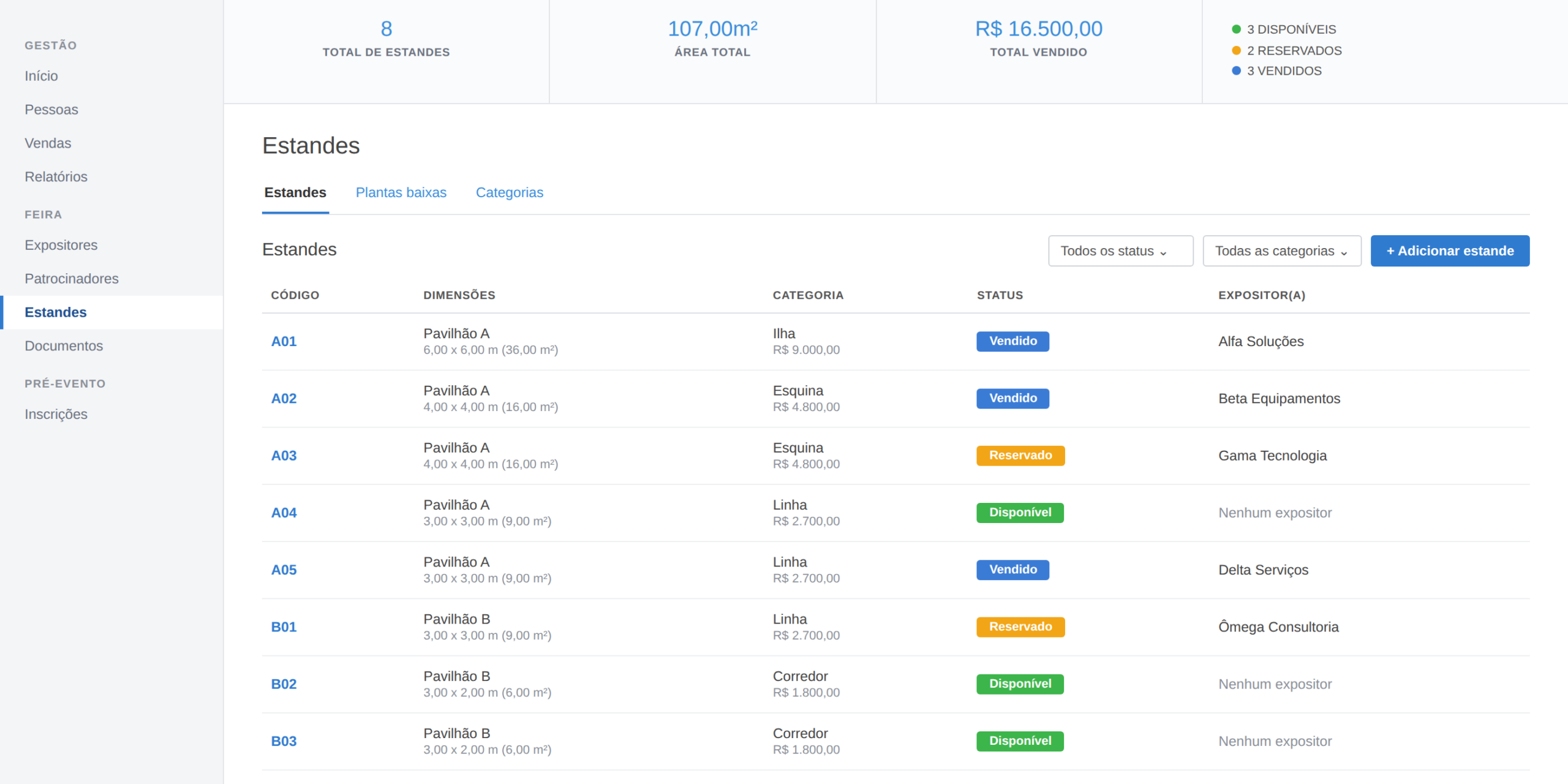
The gain shows up on the dashboard. There, you track in real time:
- total registered booths;
- available area in square meters;
- total amount sold;
- the status of each space: available, reserved, or sold.
In practice, this eliminates the biggest risk in booth sales: promising the same spot to two companies.
3. Sell booths directly on the platform
With the map ready, exhibitors can choose the category, sign up, and pay right there, on the trade show page.
In short, no back-and-forth emails to confirm whether that number is still available.
This doesn’t mean giving up consultative selling. Quite the opposite: the most expensive categories still call for a conversation. The difference is that your team spends time with those who need attention, while the rest of the map fills itself.
And what if the booth was already negotiated outside the platform? In that case, you link the exhibitor to the space manually, marking it as sold or reserved. That way, everything stays centralized on the platform.
Besides the booth, you can also offer extra items: furniture, additional power, in-venue media, and build-out services.
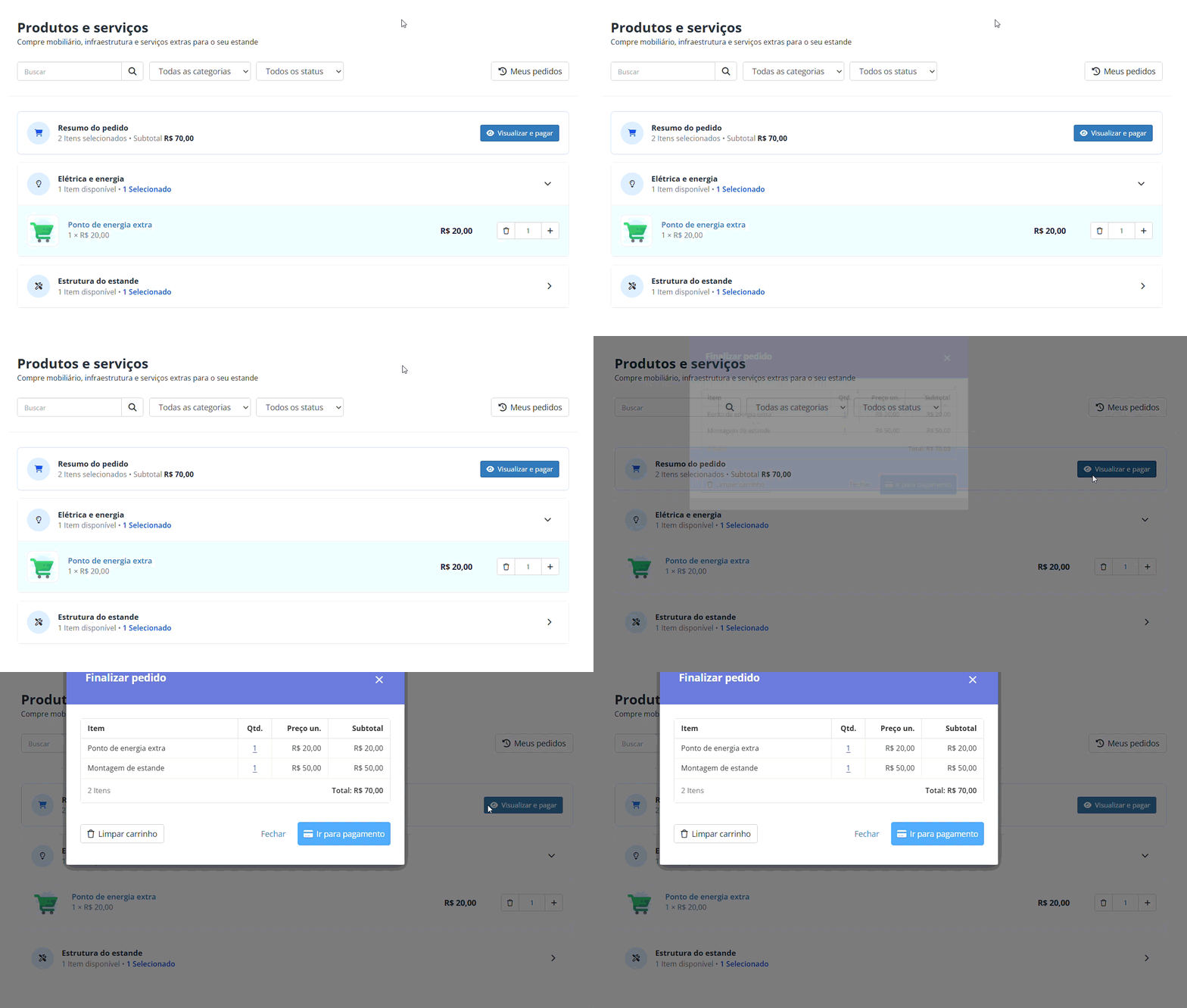
So, when the order is one click away, the average ticket goes up without any sales effort.
4. Set up the sponsorship tiers
A booth is space; a tier is brand. That’s why the two sales go together, but separately.
In Even3’s sponsor management, you register the sponsorship tiers with the benefits of each one. Then, the sponsor gets the Sponsor Area, where they:
- compare tiers side by side before closing the deal;
- track the contracted tier, the amount, the status, and the benefits;
- check paid and outstanding invoices;
- if they wish, also book a booth, increasing their reach.
As a result, the effect is direct: fewer questions reaching you. After all, all the necessary information is available to sponsors and to your entire team.
5. Sign contracts digitally
Even3’s Digital Signature tool sits right inside the trade show menu.
In practice, it works like this: you upload the booth or sponsorship contract, link it to the company, and send it for signature.
Then, the exhibitor signs in the browser, without needing to create an account or have a digital certificate. The signature is legally valid!
You can also track who has already signed and who hasn’t yet. And the signed contract is filed with that exhibitor’s or sponsor’s record, with an audit page that logs every step of the signing process.
Think about accountability day: instead of searching for PDFs in email inboxes, you open the trade show and find all the contracts in the same place.
6. Organize communication with exhibitors
This is the stage that takes the most time and the one that shows up least in guides.
Between signing and build-out, exhibitors need a lot of information: artwork deadlines, access hours, maximum height, how to request extra power, who to look for on the day. On Even3, you handle this on three fronts:
- Circulars: You write the notice on the platform and send it to all exhibitors or just to a group. The sending history is recorded. That way, when a question about a deadline comes up, the record settles the conversation in a minute.
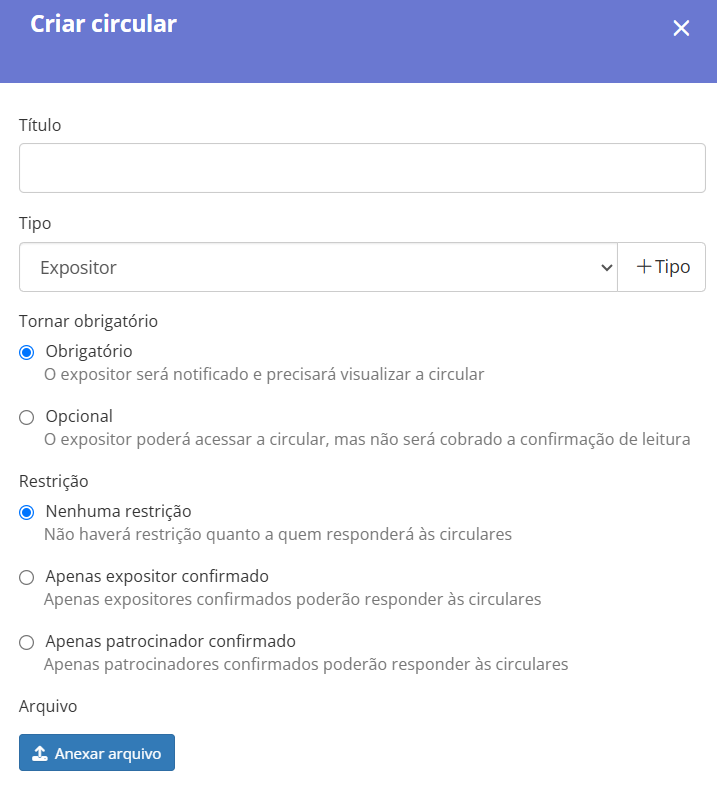
- Forms: Billing details, high-resolution logo, team list, structure requests. Instead of chasing every answer by email, you publish the form and track online the data from those who have already responded.
- Exhibitor Area: Exhibitors check circulars, contracts, and the exhibitor manual whenever they want, always in the latest version.
7. Open visitor registration
Exhibitors don’t just want a crowded aisle. They want the right buyer walking past their booth. That’s why visitor registration is also a sales tool.
On Even3, you open free or paid registration and, in the registration form, collect the information exhibitors care about: job title, company, industry, and region. If there’s a paid program, you work with automatic ticket tiers, coupons, and affiliates to speed up sales.
There’s also a gain few people take advantage of: the real-time list of registrants is the argument that closes the last booths. After all, “we already have 2,000 registered visitors, 40% of them purchasing managers” is far more convincing than “the trade show will be packed”.
During the trade show: execute without putting out fires
If the “before” was done well, on the day you just execute. And Even3 takes care of three points that usually stall the operation.
8. Run check-in with QR Codes
The check-in line is the trade show’s first impression. That’s also why it’s the number one source of complaints.
With Even3 check-in, each visitor receives a QR Code upon registration. At the entrance, your team scans the code with the app and prints the badge on the spot. If you prefer, you can also use self-check-in kiosks.
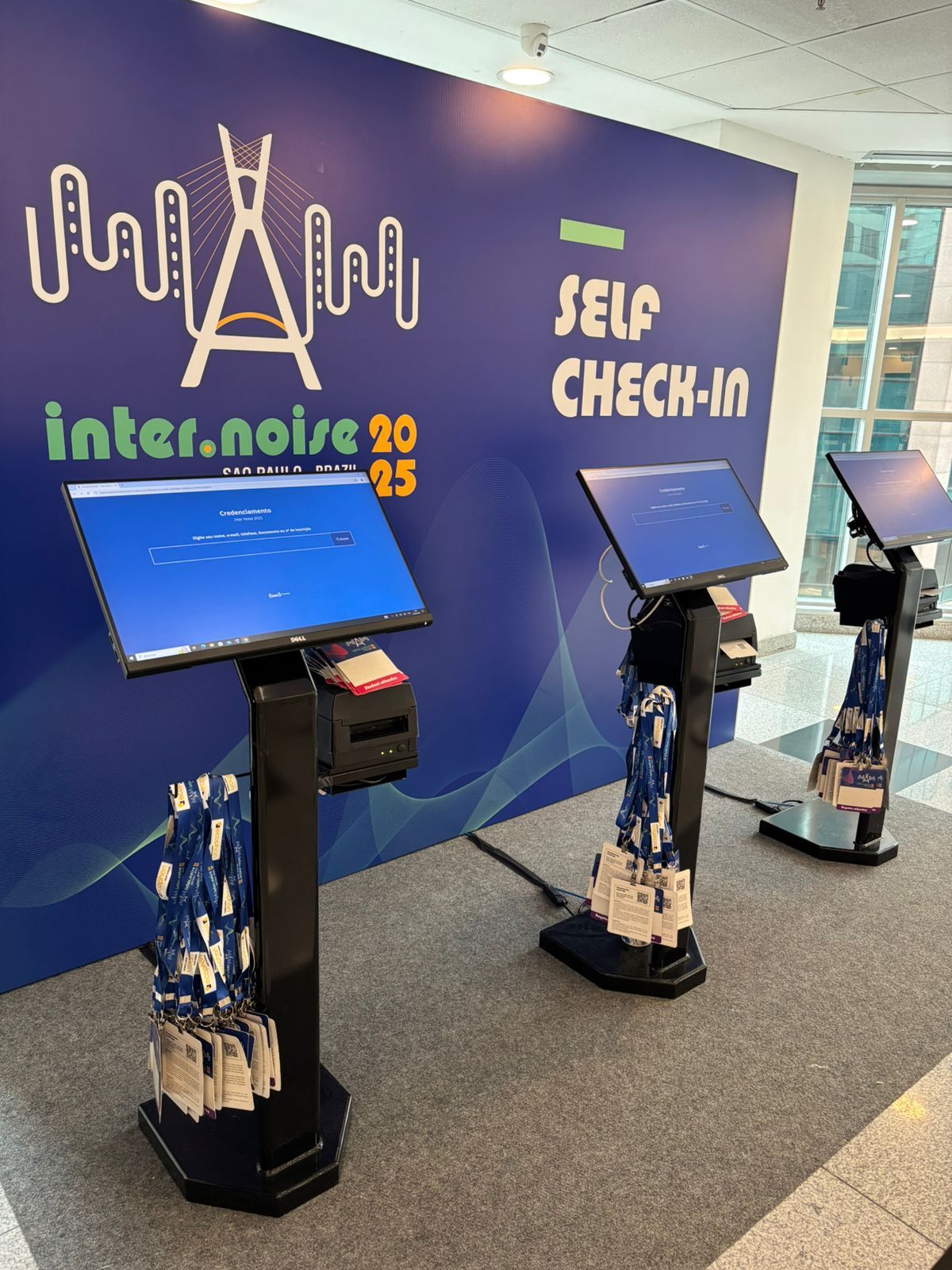
What if the hall’s internet goes down? The app works in offline mode and syncs later.
The benefit goes beyond the line. While check-in is happening, you see how many registrants have already arrived, in real time. That way, you can adjust the team during peak hours and even share the number with exhibitors on the same day.
9. Put the trade show on the visitor’s phone
The event app is where visitors look the most during the trade show. In it, they find the program, the list of exhibitors, the sponsors, and the organizers’ notices.
This solves a real problem: people lost in the aisles. After all, whoever knows where the booth they want to visit is, heads there as soon as they arrive at the trade show.
For you, the app is also a direct channel. Did a talk’s time change? Then the notice reaches everyone at once.
10. Give exhibitors the contacts they came for
This is perhaps the feature that weighs most on renewal.
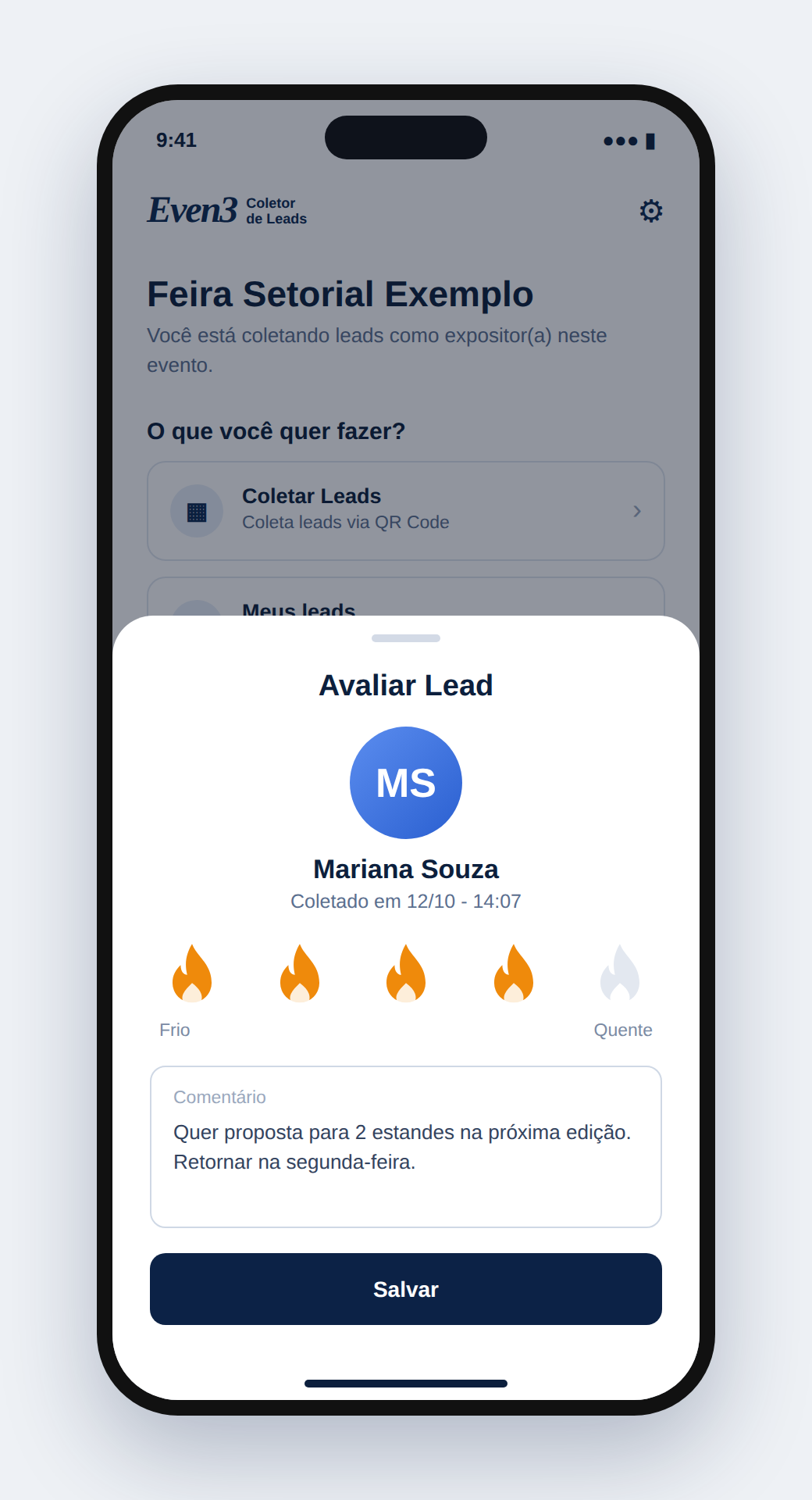
With the Lead Capture App, the exhibitor’s team scans the visitor’s badge with their own phone. Then, they rate the level of interest and write a note.
You can even rate a lead as “very hot” for those with a high chance of closing a deal. Afterwards, the exhibitor syncs and receives the organized list in their Area on the platform.
Both sides win. The exhibitor measures the return on their participation with numbers, not impressions. And you start selling the booth as a business opportunity, not just as square meters.
It’s the difference between the exhibitor saying “I think it went well” and saying “I brought home 180 qualified contacts”. The second sentence is the one that renews the contract.
After the trade show: turn results into the next edition
After all that, many trade shows end when the gates close. But the post-event is precisely where the next edition gets sold. That’s why this stage deserves as much care as the others.
11. Build the report with the data already on the platform
Since everything happened in the same place, the report doesn’t start from scratch. On Even3, you already have:
- number of registrants and checked-in attendees, by day;
- audience profile, based on the registration form;
- booths sold and revenue by category;
- closed sponsorship tiers and paid invoices;
- leads collected by exhibitors.
With these numbers, you build two different reports. The first goes to exhibitors and sponsors, with audience and results. The second goes to the board or council, with revenue, costs, and lessons learned.
That second report, by the way, is what protects the trade show when the administration changes. The next board receives numbers, not impressions.

12. Send the satisfaction survey and certificates
Within 24 hours of closing, send the satisfaction survey. In this case, it’s worth creating two: one for visitors and another for exhibitors, because the questions are different.
On Even3, you send it through the platform itself and cross-reference the answers with the profile of those who registered.
If the trade show had a content program, certificates go out automatically by email. That way, you don’t need to generate them one by one or answer dozens of messages asking when they’ll arrive.
13. Close the financials and integrate with your tools
Finally, the administrative part. On Even3, you issue invoices in one click, integrated with your financial system. In addition, integrations with tools such as Google and HubSpot take the trade show’s contacts to the marketing tool you already use.
This closes the loop: today’s visitor becomes the audience for next year’s trade show promotion.
14. Open renewals while the results are fresh
The best time to sell the next edition is right after this one, with the report in hand.
Since exhibitors and sponsors are already registered, you open the pre-sale to them first, with priority in choosing their spot on the map. Each one’s contracts, purchase history, and leads are right there — so the renewal conversation starts with data, not from scratch.
Create your trade show on Even3
By now, you can see that organizing a trade show means coordinating four fronts at the same time: the space, the exhibitors, the sponsors, and the audience.
When each front lives in a different tool, the work doubles. But most of it can be automated.
On Even3, these four fronts are in one place. You build the map, sell the booths, close the tiers, sign the contracts, send the circulars, check in visitors, deliver the leads, and close the report. All without switching tools along the way.
Creating your trade show is quick — it takes just a few minutes. Start today and reach the next edition with everything organized from the very first booth sold: