Did you know that 80% of event organizers measure success based on attendee engagement?
After all, this is one of the biggest challenges in event organization. But it doesn’t have to be so difficult.
Nowadays there are practical, affordable technology solutions to increase interactivity at events, such as apps and online tools. Some are even free!
Besides that, they can also help you plan the venue, divide essential tasks for your event, check in attendees, and much more.
Check out the main tools for:
- Event planning;
- Task organization;
- Finances;
- Communication and Marketing;
- Gamification and virtual environments;
- Check-in;
- Event platforms.
Event planning
Event planning is one of the most detailed stages. After all, this is the phase where you’ll list all the activities needed to reach your goals, and assign them to the people responsible.
There’s always the risk of leaving something out or losing track of progress. But there are many tools that can help, such as:
Evernote
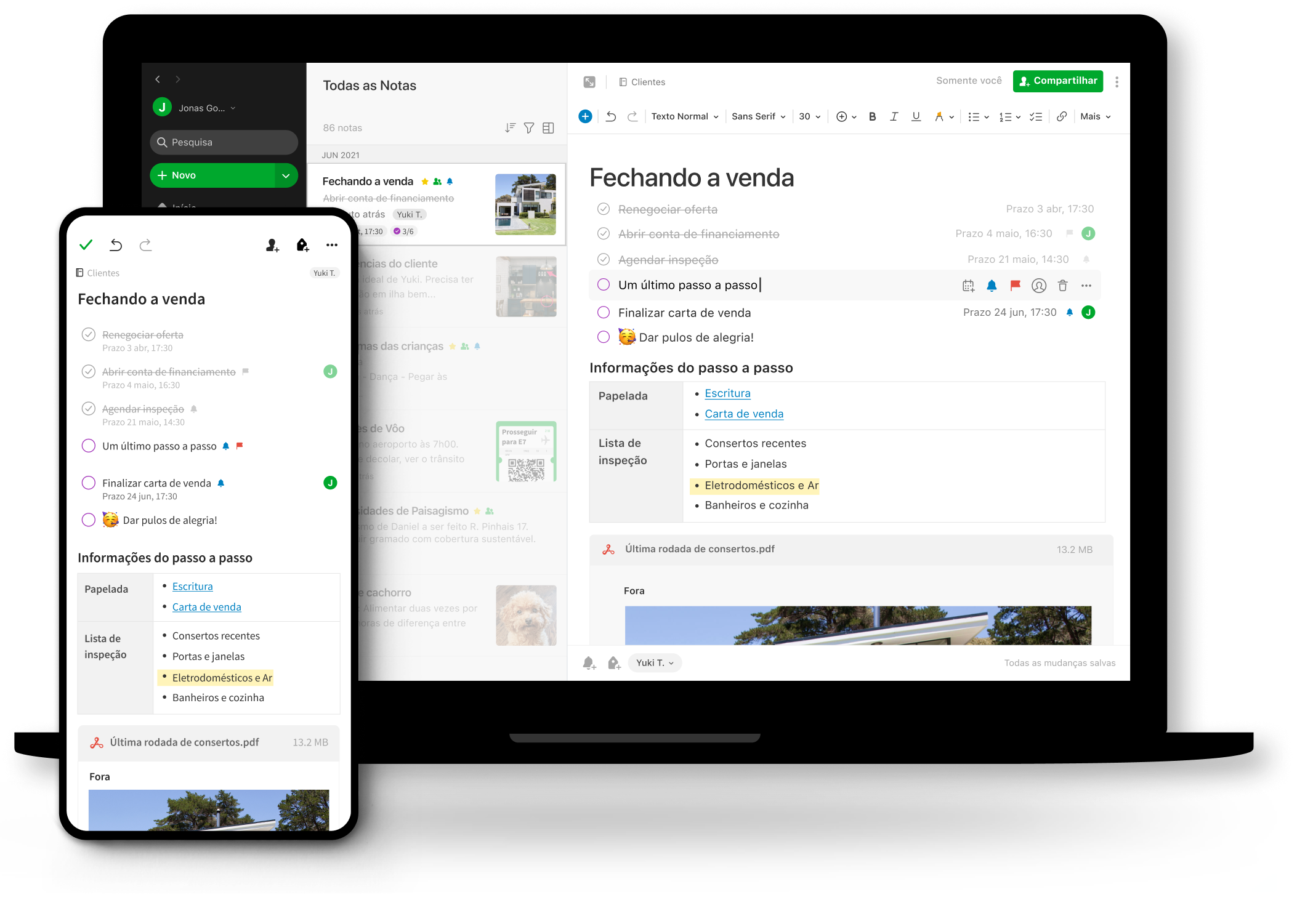
Evernote is ideal for planning, since it allows you to create notes and tasks. This might be one of the most complete apps for combining planning and task organization.
You can use it to make checklists, store ideas, share documents, and more. Since it works like a large notebook, you can create different sections for each essential part of your event.
Evernote also allows you to combine different types of files, such as text, video, image, audio, and PDF. Finally, you can share notes with your organizing committee so everyone can collaborate on planning.
Evernote has a free basic plan, but advanced features are paid.
Lucidspark
Lucidspark is an ideal tool for creating mind maps and fostering collaboration within your team. Imagine a virtual whiteboard that helps bring your best ideas to life.
With this tool, you can create, edit, and share mind maps quickly and practically. It allows you to visualize the event’s stages clearly and in an organized way.
Mind maps also make it easier to communicate the event plan effectively with your team, speakers, and attendees. Lucidspark also allows integrations with tools like Slack and Google Drive.
Other similar apps:
Miro — Although a bit more complex, Miro can be an even more complete platform than Evernote. That’s because it’s an interactive digital whiteboard, so its design can be created however you decide. Miro can create mind maps, diagrams, projects — there’s a huge range of templates available! Users can leave comments, paste images, text, shapes, and even draw. You can also share the board with other team members, and it’s a free platform.
Canva Docs — Canva Docs can also be a simple, easy-to-use, and highly accessible option. It’s a document editor optimized for visual format, capable of creating very dynamic, explanatory structures, and it can even use artificial intelligence to help with writing. Among its main features are the free, intuitive creation of agendas and task lists.
Even3 planning spreadsheet
Have you ever stopped to think about everything you need to handle when planning your event? Even3’s team of event specialists created a spreadsheet with the main activities of the planning stage.
This way, nothing will escape your control, and tasks can still be assigned to those responsible, with deadlines defined and progress tracked. It also includes a checklist for during and after the event, a partnership list, a social media calendar, and much more.
This way, you can centralize your event’s key information in one place and rely less on external apps. If you prefer, you can just list the activities in task organization apps and invite those responsible — a perfect combination!
Task organizers
Asana
Unlike planners and interactive whiteboards, task organizers are much simpler and more focused. Basically, you’ll create task lists, assign those responsible, set completion dates, and track progress.
Although it seems simple, these apps are ideal for giving everyone a broad view of pending activities and being able to request tasks from other people too. In Asana, for example, there’s a list with all the tasks you need to complete.
You can also create boards for groups of activities, share them with people, and build a team — all available in the free version.
Other similar apps:
Todoist — Similar to Asana, Todoist is an app that also allows you to create tasks and projects. It has a free version and can be shared with teams.
Trello — There’s also the option of Trello. It manages projects in extremely versatile lists. You can define what’s still to be done, what’s in progress, and what’s already completed. This way, you can organize your event so nothing gets overlooked or forgotten.
Finances
Usually, an event’s finances are the area that most needs help from external tools — even if you rely on an event platform to track your ticket sales.
After all, you have to deal with sponsors, batch price changes, invoice issuing… Check out tools that can help your finance team:
Even3 finance spreadsheet
Of course, an event platform like Even3 can help you automatically track your event’s income and expenses in the Sales menu. In that case, a finance spreadsheet is an ideal complement for mapping the expenses you should expect for the event.
It can also help estimate how much sponsorship you should look for or expect to receive. That’s why Even3 created the Finance Spreadsheet 2.0. In it, you can map expenses, investments, and revenue results. Download it for free.
ContaAzul
For some organizers, event finance management is much more complex. For example, corporate events may have accounting demands and receive some payments outside the event platform.
Or large events with a more intense cash flow, such as receiving late payments, supplier contracts, and more. In these cases, there are tools that help organize finances, such as ContaAzul.
With it, you can control your cash flow, generate reports, and track late payments. You can also receive payments via invoices, issue tax documents, and integrate with Even3.
eNotas
Speaking of issuing tax documents, one of the most popular tools for this purpose is eNotas. If you just want to issue invoices in a simpler way, eNotas is the perfect choice! It can also be integrated with most event platforms, including Even3.
Communication and Marketing
Event marketing is one of the areas that can benefit the most from using tools. That’s because there are many apps that make design and copywriting processes much simpler — even for those who aren’t professionals in the field. So, how about exploring some possibilities?
Canva
To start, I need to say that Canva is possibly one of the most important tools on this list! That’s because it’s extremely useful for creating your event’s visual identity.
It’s widely used by organizers to create social media posts, banners, flyers, event covers, and more. Of course, it doesn’t replace the work of a professional designer, but it’s a great option for those without the budget to hire one.
Canva offers free, editable layouts. So just use your creativity and get creating!
ChatGPT
Still on the topic of content creation, you’ll probably need to write attractive copy to communicate with your attendees. Get ready to write social media captions, emails, ad copy, and much more.
But don’t worry if you don’t have much writing experience! ChatGPT’s artificial intelligence can help. It works like this: you type your request and the AI responds with the requested text.
For example, we asked it to create “a cheerful social media caption to announce the opening of registrations for an Instagram event.” Certainly, it’s not as good as a professional copywriter’s work, but it can serve as a guide or inspiration. You’ll just need to make small edits and publish. Pretty great, right?
CapCut
Another trend for social media is captioned videos! Did you know most Instagram users watch videos without sound? That’s why captions are increasingly essential.
In that case, you can use editing apps with automatic caption creation, like CapCut. The app also has editing, trimming, filters, layering, and audio solutions for videos.
Even3 posting calendar
Now that you know how to create social media posts, it’s time to organize them! With Even3’s posting calendar, you can plan your posts and build a schedule.
You can also count on content suggestions and a getting-started guide to activate your social media — ideal for those just starting out!
Mailchimp
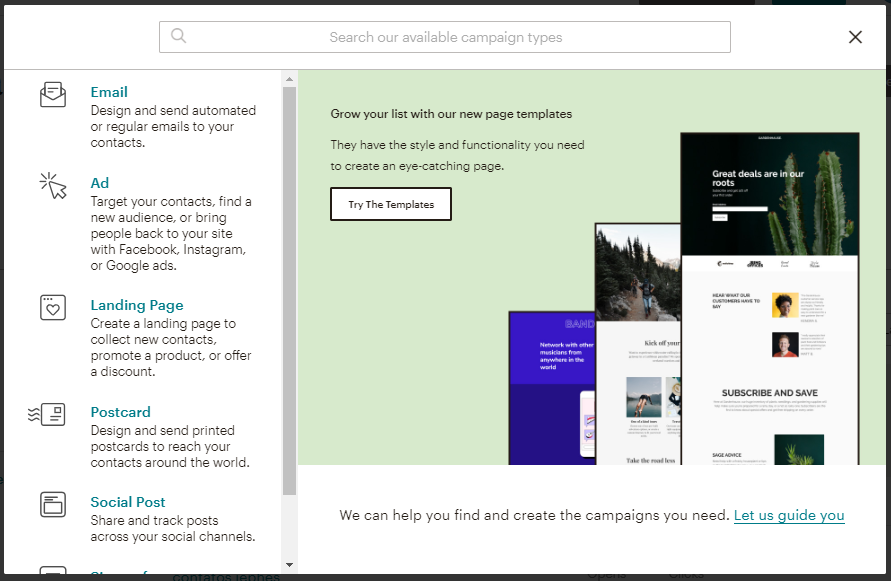
Although some event platforms, like Even3, allow you to send emails within the tool itself, some events need a more robust email marketing tool to engage their audience and capture data from people interested in the event.
There are currently many options on the market that compete with Mailchimp. But it remains one of the most affordable platforms, with both free and paid plans.
Other similar tools:
Sendinblue — Sendinblue is a marketing platform with diverse features. Although its strength is email marketing, it also offers landing pages, automations, and forms, plus solutions like Facebook ads, chatbots, and even SMS and WhatsApp campaigns. However, like Mailchimp, its free options are more limited.
RD Station — Similar to the other options, RD Station is also a marketing tool. The difference is that it’s a paid Brazilian tool that’s a bit more complete, with features like sales functionality, a keyword dashboard, and lead scoring. It’s usually used by more professional profiles with larger marketing teams. It can also be integrated with event management platforms.
Meetoo
Meetoo is an app for real-time polls and messages. With it, you can boost engagement at your event, encourage collaboration, and get to know your attendees better. It enables connection between event participants, idea sharing, and even live feedback while the event happens. Meetoo has free and paid plans.
Interactivity at events
Edupulses
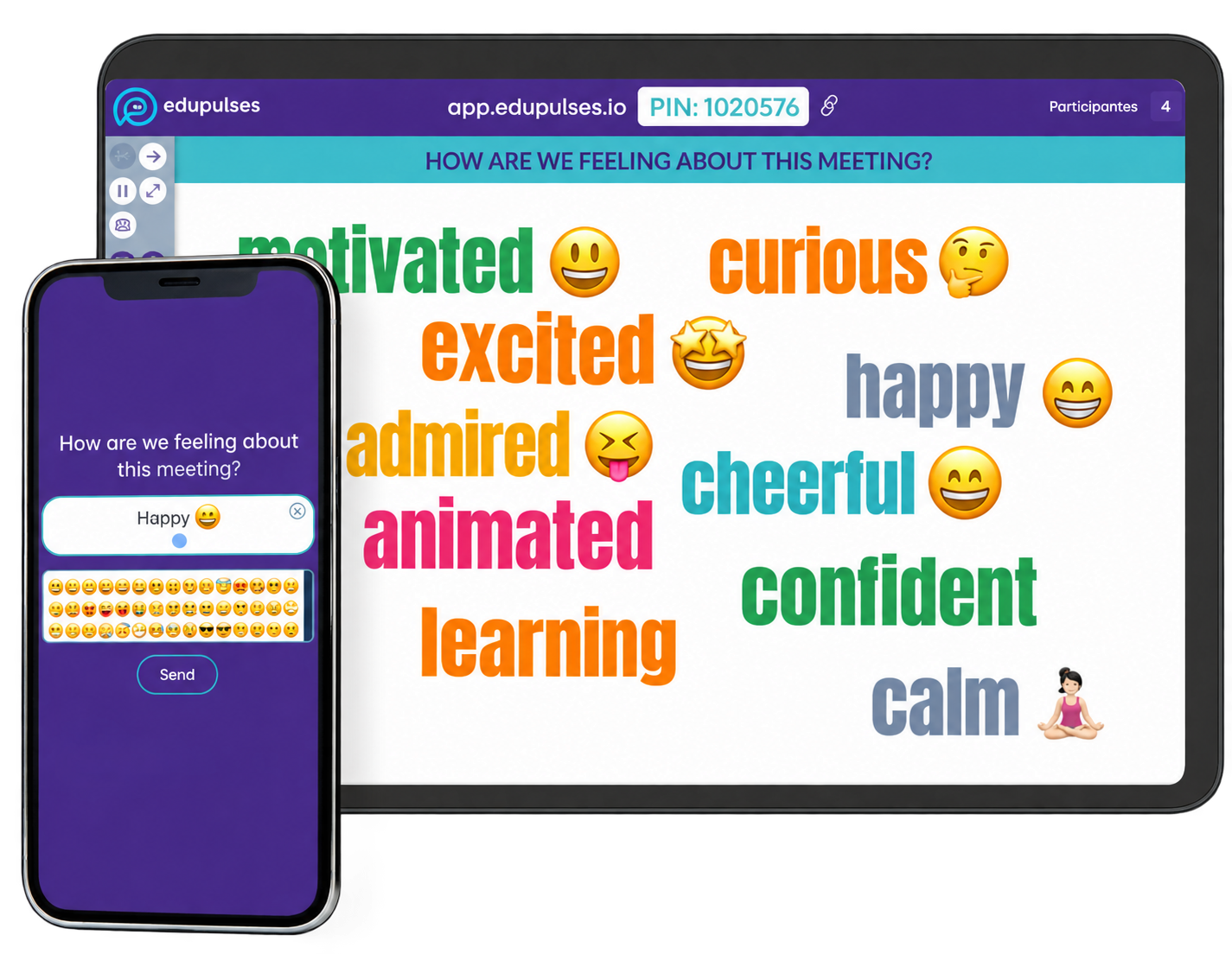
Edupulses is one of the best-known gamification tools in Brazil. It can help speakers create more dynamic presentations by displaying live results and real-time responses from attendees.
Edupulses is a solution based on active teaching methodologies that boosts interaction. With the free plan, you can create word cloud slides and quizzes of up to 3 questions per event, shown live.
Other similar tools:
Sli.do — Create interactive presentations easily with Sli.do. The tool allows integration with slide apps like Google Slides, for free.
Wooclap — Integrate with Google Slides, PowerPoint, and other options. Create questions and provide a code for attendees to answer in real time on Wooclap.
MeetingPulse — Similarly, MeetingPulse also allows integration with PowerPoint to create polls and votes. Attendees can also interact by submitting questions.
Braindate
Braindate is a platform for generating networking at events. Its goal is to create valuable connections between attendees. The tool has features like forums, group meetings, user profiles, and more. It’s usually used at online events and video conferences.
The only downside is that Braindate is an international platform, so it charges in dollars and only has an English-language version. Still, it’s worth checking out!
Check-in
Even3 Check-in
The check-in moment defines how attendees will perceive your event — after all, it’s their first impression. That’s why it’s ideal to have a check-in app to shorten lines and create a positive experience.
With that in mind, Even3 developed an app that automates this step. It can read QR codes and register attendance in seconds, and it even works offline. This speeds up attendee entry and protects against unforeseen issues, like a lack of internet connection.
You can also combine the app with other platform features, such as self-check-in kiosks.
Event platforms
Even3
Finally, an event platform can centralize many of the tools you need for a successful event. With Even3, you can count on support for most of the functions needed at an event.
The platform automatically solves the organizer’s main problems, such as building the event website, registration forms, certificates, and more. Even3 also has free features like email sending, lead capture, chat, polls, and Q&A for online broadcasts, and much more.
Ideal for all types of events, the Even3 platform is free. Start creating your events today!



