Did you know studies point to 120% growth in the online registration market by 2028?
That means your attendees won’t be waiting in line to buy tickets anymore.
In fact, they expect registration links to reach them via WhatsApp, Instagram, Telegram…
That’s why it’s essential to know how to create an event registration link and start promoting your productions the right way. And the safest way!
In today’s article, I’ll show you how.
How to create an event registration link?
Getting straight to the point: to create an event registration link, you’ll need:
- A website to sell your tickets;
- An online registration form;
- A secure ticket sales area.
All of this will give you a virtual place to sell tickets and capture your attendees’ data.
Then, once everything’s ready, just copy the link from the purchase area or the event website and send it out.
I know building all of this from scratch might seem complicated, but it isn’t!
Even3 offers free tools to build each of these steps and make sending registration links easier. Follow this practical step-by-step guide:
How to create an event registration link on Even3?
1. Promote tickets on your event website
Basically, every event created on Even3 already has a website generated automatically and for free.
There, you’ll be able to add your event’s main information, as well as its visual identity.
So add a cover image, choose colors that will grab attention on your site, and create an eye-catching design.
Take advantage of sections like “About the event” to explain what it’s about and lead visitors to click the registration button.
They’ll be directed to the site section that contains the ticket information. This is the area that needs your attention.
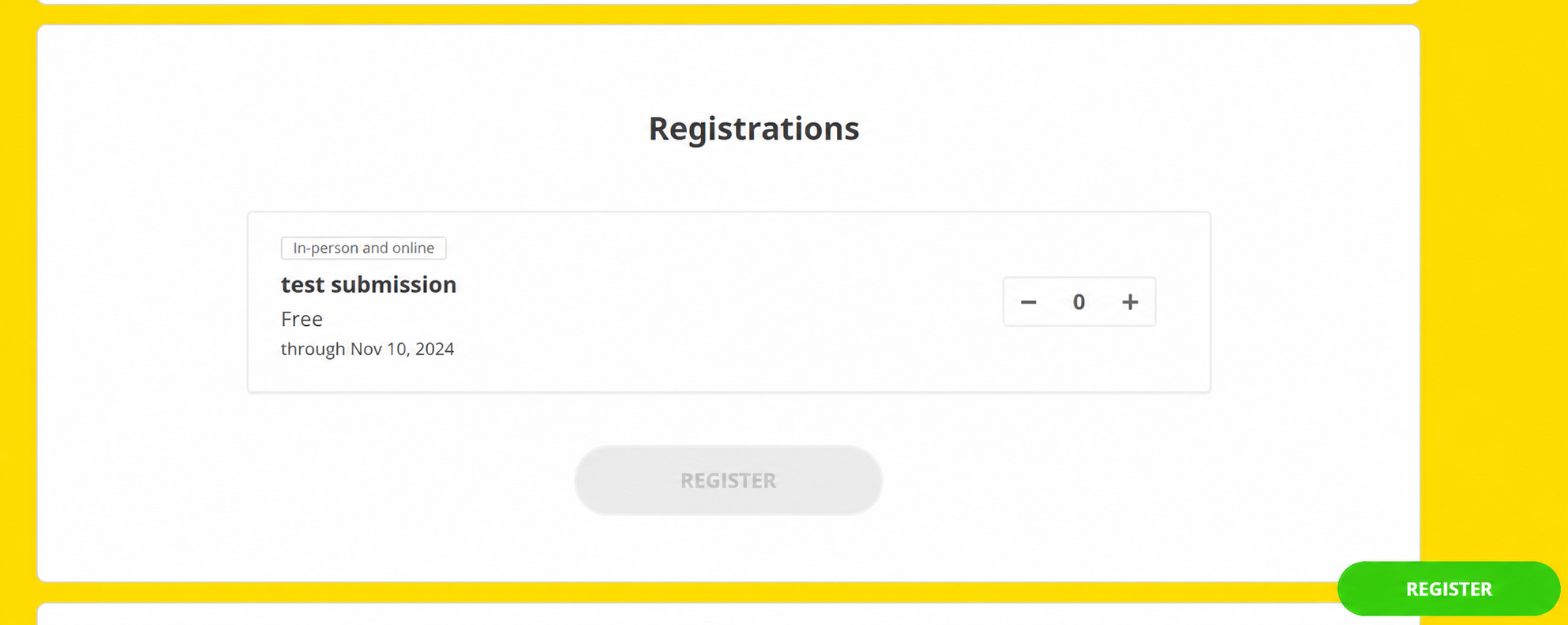
For it to appear on your site, you need to add your event’s Tickets and Prices.
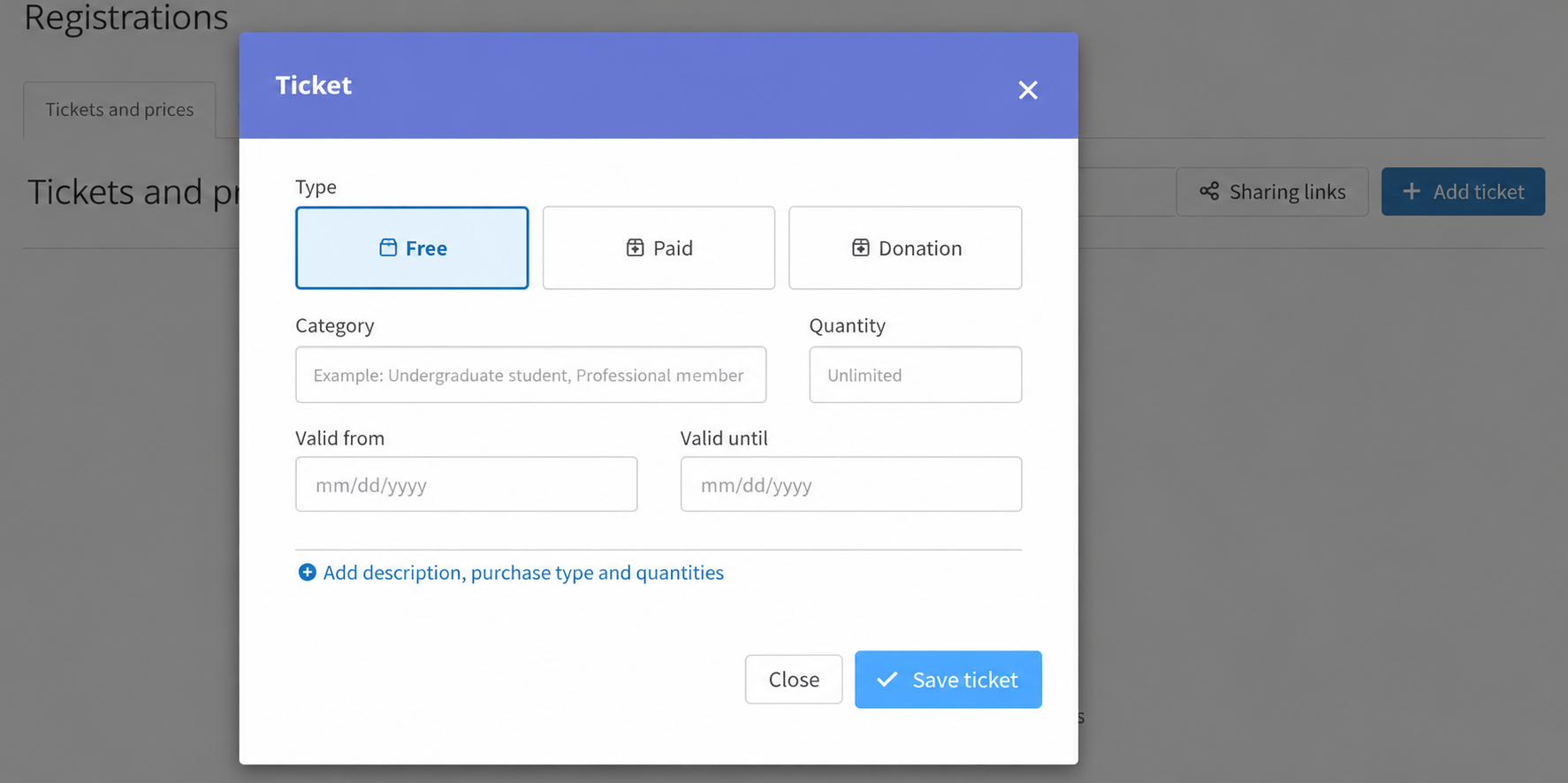
So create as many registration categories as you want, however many times you like.
You can mix free, paid, group, and half-price tickets.
All the public categories you create will be displayed on your event’s website.
2. Create your online registration form
To complete the purchase, your attendee needs to submit some basic information about themselves.
After all, you’ll probably need a name and email to send certificates.
Or you might request other information that’s useful for your event.
So build your registration form by adding whatever questions you want.
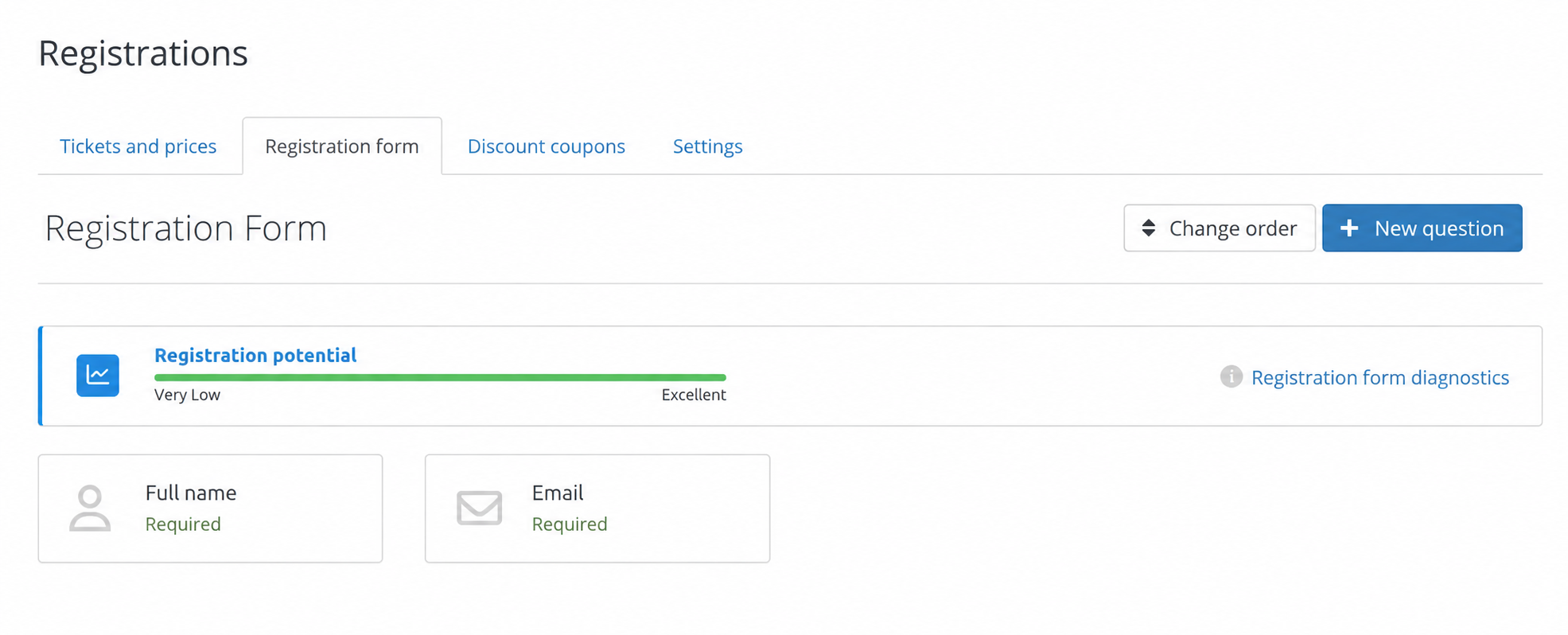
Once answered, attendee information automatically appears in Even3’s People menu.
And you can export it or track it without ever leaving the platform. This makes managing people so much easier!
So remember to include the most important information for your event. For example, data that can turn registrants into leads for your business.
It’s a good idea to:
- Use few questions: a registration form that’s too long can make attendees give up on filling it out;
- Include standard questions to identify attendees, such as name and email;
- Add a consent checkbox: follow data protection regulations and indicate whether you’ll use attendee data for purposes beyond event registration, such as sending marketing emails.
3. Send the registration link for your event
Done! Now you know how to create a registration link for your events.
Yes, it’s already ready and contains every ticket you’ve created in a secure purchase area.
This way, if you chose to charge for them, your attendees can already pay via pix, boleto, cards, or more than 150 international payment methods. Pretty great, right?
But how do you send your event’s registration link? You can promote more than just your website!
In Even3’s Registration menu, you can create different registration links for your event.
When you click the “Promotion links” button, you’ll have a few options, such as:
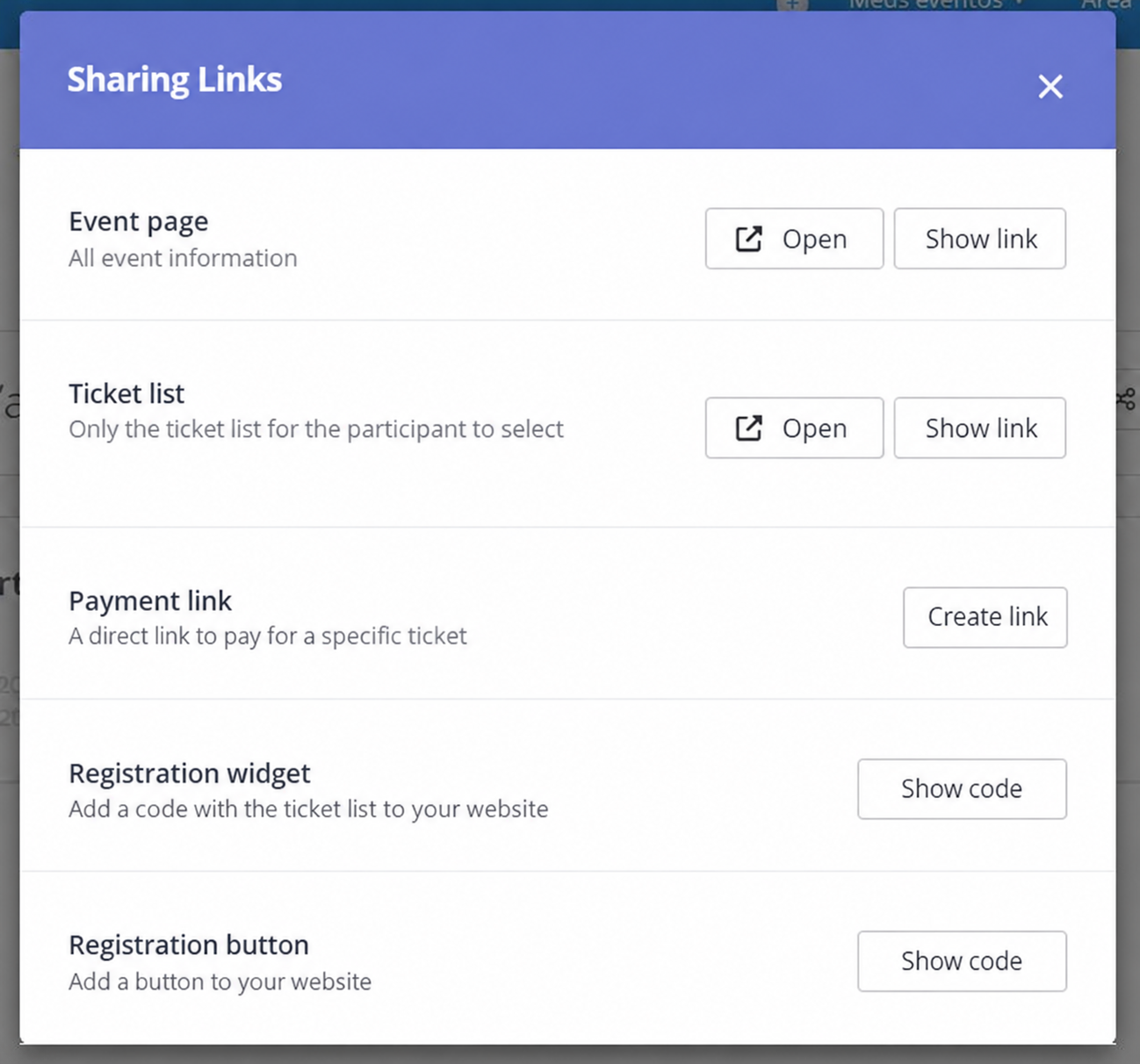
- Event website: share the registration link with all of your event’s information, giving attendees context;
- Ticket list: share a registration link with only the tickets you’ve created. Ideal for speeding up the purchase process for people who already know your event;
- Payment link: create a direct payment link for a specific ticket and send it to an attendee who’s already shown interest in buying.
5 tips to boost your event registration link
Once you have your registration link in hand, it’s time to share it in the right places and boost your event.
Use it in your marketing planning and get more people to buy your tickets. Check out a few strategies:
1. Create scarcity
Imagine you really want to buy a product and find out it’s running out in the store or about to get more expensive. What do you do?
Most people would definitely buy it right away!
And that’s an old strategy known as “creating scarcity.”
That means selling products in a limited way, or a few units at promotional prices.
For example, using exclusive batches with a specific date or a limited number of tickets available.
So you can use clear, direct language to spark immediate action from the buyer, like “limited spots” or “tickets running out.”
Basically, your messaging should drive purchases by showing the benefits of buying the ticket right away.
2. Bet on mobile devices
Right at this very moment, millions of people are online on their phones. Have you ever thought about that?
There are certainly people shopping online and looking for new products.
That’s why your event’s registration link needs to be accessible on a mobile device.
In other words, your tickets need to be sold on a platform that works just as well on mobile as it does on desktop.
On Even3, the experience is optimized for mobile.
This is a real advantage that broadens the purchase options for your attendees, especially those who’ll receive your event’s registration link on WhatsApp or Instagram.
3. Use social media
Speaking of sending your event’s registration link on social media, it’s really important to use these channels to promote your event!
So put together a digital marketing plan with online posts, ads, community building, and more.
You should choose the best channels for your event, like Instagram, Twitter, WhatsApp, and others.
But you don’t need to be on every social network! The ideal approach is to really know your audience and be active where they are.
For example, LinkedIn is ideal for a more corporate audience, while TikTok tends to appeal more to younger audiences.
So remember to research your audience to attract the right people!
4. Create ads
As I mentioned, promoting a direct payment link for your event tickets can be quite effective in certain ads.
For example, in campaigns aimed at people who already visited your event website but didn’t complete registration.
With a shorter purchase process, it’s easier for your audience to buy the ticket right away.
After all, ads are great at driving action and can run in strategic places, like social media and Google search.
All you need to do is understand the possibilities and plan your budget to invest in it!
5. Use Even3’s email tools
Finally, email is also widely used in marketing strategies.
With it, you can create direct communication with your attendees, send news, share content they’re interested in, and deliver a lot of value.
That’s why Even3 has the Notify People feature, right within the platform.
That means creating and sending emails to your attendees in seconds.
You can also segment your audience, email website visitors, and much more.
What’s more, this is a free tool you can use from your very first registrant, and it even lets you import people from previous events.
Want to see how it works? Just create a free event and take advantage of Even3’s event promotion tools.



