Have you ever thought about bringing together thousands of people interested in the same subject without making them leave home? With online events, also called virtual events, that’s possible!
Today, I’ll show you how to create online events on Even3.
As well as explaining the benefits of streaming your event through a platform built specifically to make event organizers’ lives easier.
We’ve managed to bring together science, knowledge, and technology in one place.
All so you can run your academic and scientific event while keeping the same standard as an in-person event, but doing it entirely online! From opening registrations to issuing certificates.
So, shall we get to it?
What changes from an in-person event to a digital one?
Creating an online event on Even3 involves practically the same steps as creating an in-person event. You need to plan it, come up with a theme, put together an organizing committee, delegate roles and tasks…
The big difference is that, for an in-person event, you’d have to book a venue, organize the rooms, confirm that every speaker is set, welcome attendees, and take care of cleaning the space.
For example, those vendor-related tasks mostly disappear in the virtual world.
That’s why the planning time for an online event tends to be shorter.
So, while for an in-person event we recommend starting to plan about 6 months in advance, for an online one you can cut that down to as little as 3 months, depending on how complex the event is.
After all, even though you don’t need to rent a venue to host attendees and speakers, you do need to think about the virtual environment that will host those talks.
With an events platform like Even3, you can maximize the experience of organizing and attending online events. I’ll show you how.
How to create online events on Even3?
To meet the needs of online events, we built the Online Streaming environment into our platform.
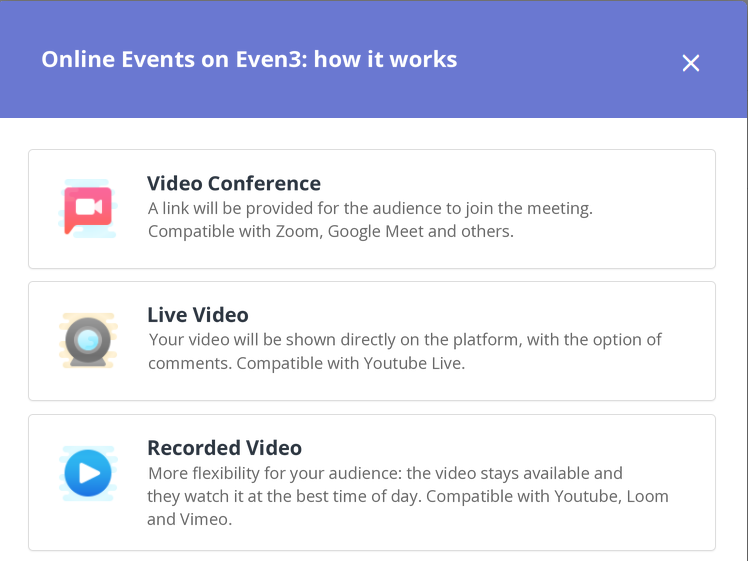
There, the organizer can select the streaming format they’ll use for the event. We offer 3 types: videoconference, live video, and recorded video.
Videoconference on Even3
Broadly speaking, videoconference is the format in which all event registrants, as well as speakers, gather in the same environment, known as a virtual room. Multiple interactions happen there.
Videoconferencing is very simple to organize, since you just create the room and invite people.
However, not everything is controllable in that environment. So you might have to deal with unwanted images, conversations, and noise during a talk.
It’s especially recommended for events or activities with fewer people, like courses and workshops. In those, contact between speakers and attendees tends to be much closer, which is why the videoconference format is an excellent option.
On Even3, it’s very simple to organize a videoconference. You can do it using tools like:
- Zoom
- Google Meet
- Skype Meet Now
- Cisco Webex
- Microsoft Teams
- And more!
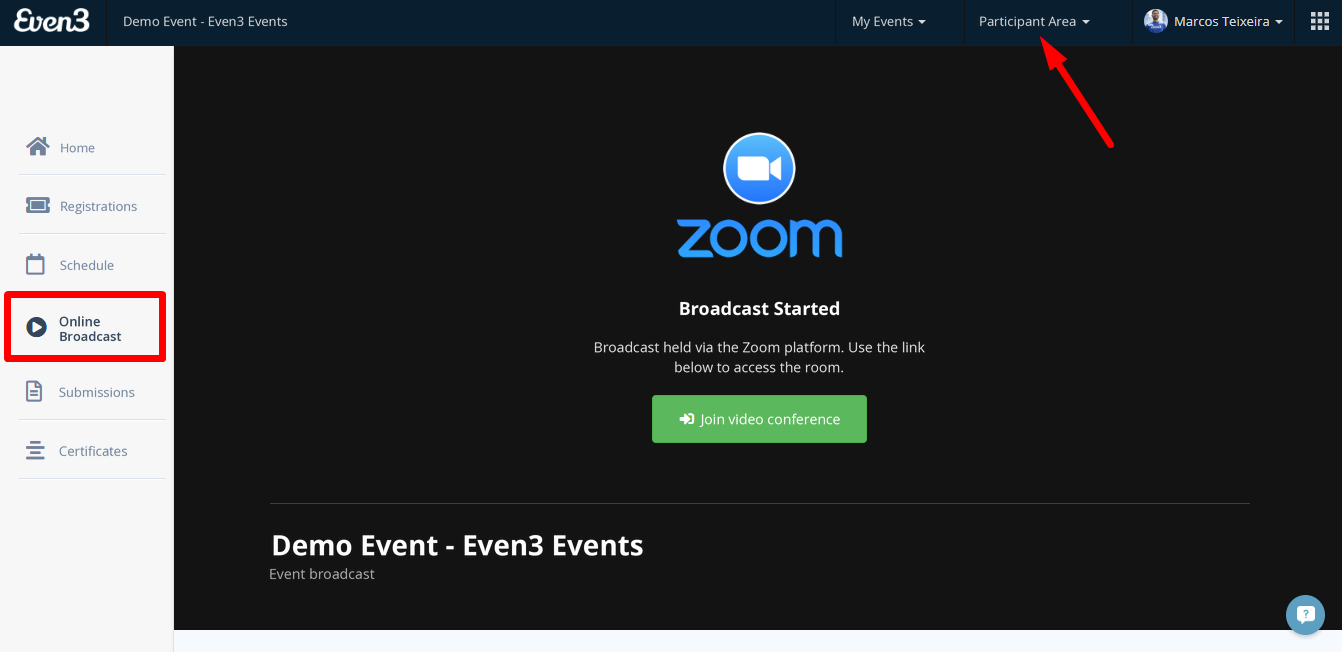
After choosing your video tool, just make the virtual room’s access link available to event registrants. They’ll be able to access the link directly from the Online Streaming menu.
Live Video on Even3
With live video, recording and streaming happen simultaneously. It’s commonly known as a “live” and is the favorite format for event opening talks.
That’s because a live stream is dynamic and engaging for online attendees, but be careful: since it’s live, this format is more prone to hiccups, like internet connection issues, for example.
On Even3, organizers can stream live using tools like:
- YouTube Live
- Vimeo
- Twitch
- RNP Video
Once the stream is live, attendees will be able to follow it if they’re registered for that activity. They just need to go to the platform’s Online Streaming menu.
The great advantage here is that attendees can watch the stream directly on the Even3 platform, without distractions from ads or other videos from outside sources.
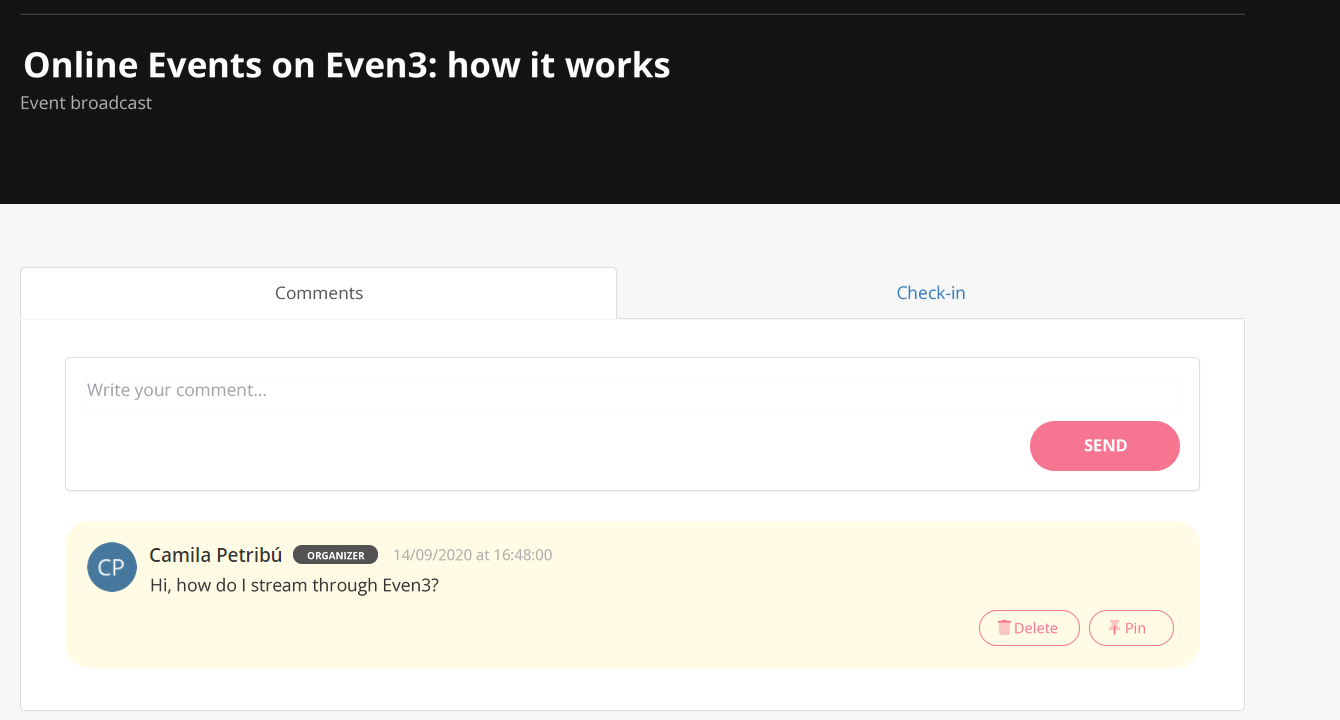
Interactions can also happen directly on the Even3 platform in real time, if the organizer enables comments. Comments appear right below the video, and the organizer is free to pin, reply to, and delete them as needed.
Also, to make it easier to spot, whenever an organizer comments, their name gets a highlight tag.
Also worth remembering: a plus of live streaming is that the speaker can answer questions on video, either while covering the topics or by setting aside time at the end of the talk just for interaction. That boosts your event’s interactivity a lot more!
Recorded Streaming on Even3
Recorded video, on the other hand, is recommended for events with more than one talk, or for those with more time to record and produce content, editing it and giving the image and audio a better finish.
Recorded content stays available longer for attendees, so they can watch whenever suits them best. For recorded video, Even3 currently supports these tools:
- YouTube
- Vimeo
- Loom
- Cloudinary
- Twitch
- RNP Video
Interaction isn’t lost with recorded events! That’s because the chat section is also available for this format. So attendees can ask questions, chat with each other, leave comments, and give feedback about the event.
This is a way to allow interaction between attendees, and between attendees and speakers, in real time, as well as boosting engagement with giveaways and polls.
Even3 Streaming
Besides the most common types of online streaming, Even3 offers Even3 Streaming, a feature built specifically with your event’s streaming security in mind.
After all, imagine streaming a paid event and having the link shared with people who aren’t registered? Frustrating, right?
That’s why, with Even3 Streaming, only registered attendees can access the stream.
Also, since the video is hosted on our own platform, there’s no risk of it going down during the event. One more peace of mind for the organizing committee!
Why create online events on Even3?
Learning how to create online events on Even3 is super simple because we have features built for every stage of the event. I’ll show you a few solutions that can help:
Have your own website for your online event on Even3
With Even3, you can create an exclusive website for your event. There, you can include all the information about the schedule and the speakers who’ll be part of your event.
As well as announcing the opening and closing dates for submissions, if your event includes that activity.
Having a website for your event is a great way to build credibility and reference, as well as a chance to make your event known to more people.
So don’t forget to promote your event’s website on your social media and share it with friends!
After all, it’s the entry point for event registrations.
Get to know your registrants
Paid or free events, it doesn’t matter! Opening registrations is an excellent way to better understand who’s actually going to attend your event and who’s interested in your content.
On the Even3 platform, you can enable forms that attendees fill out when registering. The questions are fully customizable, so you, the organizer, decide! All to fit your event’s specific needs.
On Even3, you can set up registration by:
- Categories (Students, General, Teachers, Members…)
- Batches (the price varies depending on the purchase date)
And you can also set up discount coupons for attendees. Pretty cool, right?
Manage your event’s sales
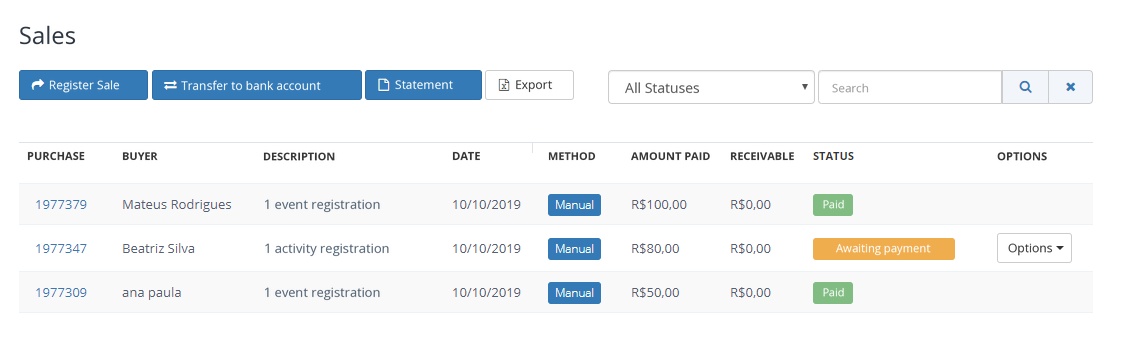
For paid events, you can manage every transaction happening in your event from one place.
You can view the status of each purchase: pending and already confirmed payments.
And most importantly: request a transfer of your available balance to your bank account even before the event ends! Within 48 business hours of the request, the money will be in your account!
Monetize your online stream
Speaking of finances, Even3’s online streaming gives you even more ways to boost your event’s revenue with monetization!
This is a growing trend for live streams, as already happens on platforms like YouTube, Instagram, TikTok, and other streaming channels.
In practice, monetizing online streams makes it possible for organizers to receive financial appreciation for their event’s broadcasts.
The idea is to encourage attendees to support and encourage the content production of someone they admire.
So, how about starting to win over more supporters?
Create an organized, engaging schedule
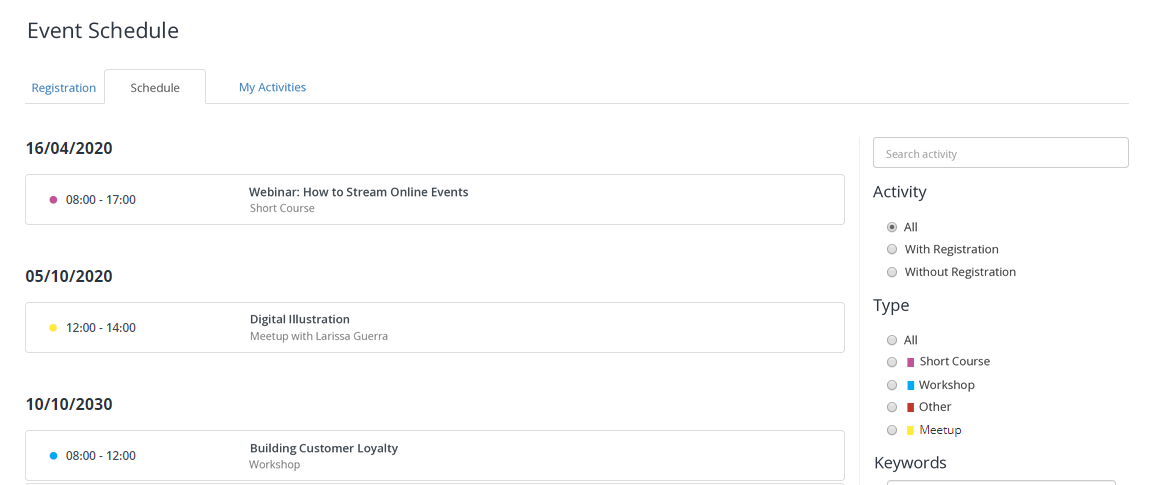
On Even3, we have an entire menu dedicated to event activities: the Schedule Menu.
There, you’ll register everything great that’s going to happen at your event: talks, panel discussions, webinars…
In the schedule, besides including the day and time of each activity, you can limit the number of attendees and decide whether it’s paid or free.
Check in attendees at your online event
Check-in can also happen at online events! With this stage of the event in mind, we let organizers handle check-in for activities either automatically or manually.
Receive submissions and raise your event’s scientific level
On Even3, you can receive and manage all of your event’s submissions. You can accept scientific papers, abstracts, and posters, as well as less traditional academic formats like photos, poetry, and illustrations.
We offer up to 30 free submissions per event. But if your event needs more, you can request an upgrade directly on the platform.
You can distribute submissions among reviewers and set evaluation criteria. Everything is done directly on the platform and automated.
In the Submissions menu, you can:
- Set submission rules and guidelines
- Receive submissions and organize them by subject area
- Register as many categories as needed per event: posters, papers, abstracts, photos…
- Receive submissions via form or file upload
- Review the submitted work
- Announce the submission results
- And publish the event’s proceedings =)
Issue event certificates automatically
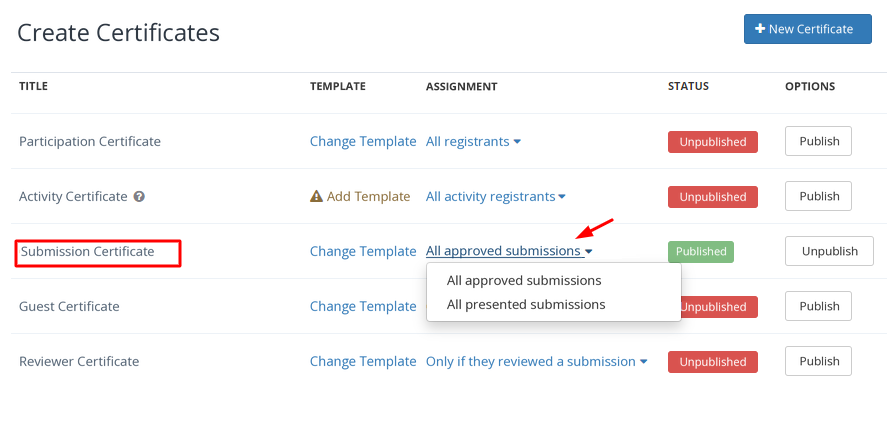
You no longer need to send certificates manually by email to attendees. On Even3, you can create all sorts of certificates: for activities, for submissions, for paper presentations, and, of course, for general event attendance too.
Filling out the certificate is quick. Just pick a certificate template that reflects your event’s identity and decide which information can’t be left out of the document.
Then, just set who will receive them. Once the event is over, you can make them available automatically, in just a few clicks.
See how much of an advantage it is to have an events platform to stream your online event?
With Even3, every stage of your event happens in an integrated way, all in one place, with support that only our team provides.
Still have questions about how to create online events on Even3? Talk to one of our consultants, they’ll help you find the best solutions for your online event.



