Have you ever stopped to notice that the bigger an event’s schedule is, the more diverse its audience tends to be?
For example, a conference might have students, experienced professionals, managers, and researchers attending. Each with different interests and goals.
In this scenario, a single schedule can make it hard for each attendee to choose the activities most relevant to them. But content tracks solve this challenge!
They organize the schedule according to the audience’s interests, knowledge levels, or goals. This way, each attendee has the freedom to choose the path most relevant to them.
In this article, you’ll learn:
- what content tracks are;
- what characteristics they need to have;
- why it’s worth investing in them;
- what criteria to use to create them;
- how to structure them in practice, step by step;
- how to promote them to increase engagement.
What are content tracks?
Content tracks are divisions of an event’s schedule, organized by theme, area of interest, knowledge level, or attendee goal.
In other words, instead of a single agenda, the event offers distinct paths.
That’s why each track brings together activities that connect with one another and guide the attendee.
How this organizes the schedule in practice
Basically, each track works like a slice of the overall schedule.
Within it, attendees find talks, workshops, and other activities connected by a common thread.
So they follow that track from the start to the end of the event. This is different from a traditional schedule, where attendees decide at every time slot whether that activity is relevant to them or not.
In practice, this personalizes the experience and helps attendees find their bearings, especially at large events.
For example, a marketing conference might split its schedule into: Digital Marketing; Artificial Intelligence; Branding; Performance; Leadership.
With this guide, attendees can choose to attend only the activities in the track they belong to.
Must-have characteristics of learning tracks
Not every division of time slots is actually a track. To earn that name, the schedule needs to have:
- Thematic coherence: the activities in the track are directly related to one another, not just coinciding in the same time block;
- Logical progression: the track guides attendees through a sequence that makes sense, from introductory to advanced, or through complementary stages of the same topic;
- A clear identity: the track has a name, purpose, and target audience;
- Freedom of choice: attendees can follow a specific track without losing the coherence of the experience.
In short, don’t confuse a schedule with a content track. Organizing activities only by time slot shows when they happen. A track, on the other hand, helps attendees decide which activities to follow to reach a specific goal.
Why invest in content tracks at your event?
Beyond organizing the schedule better, tracks make the experience more intuitive for attendees and more strategic for organizers.
The main benefits are:
Improves the attendee experience
Makes it easier to find the most relevant activities and reduces the time spent analyzing the entire schedule.
Serves different audience profiles
Lets you create specific paths for beginners, experts, managers, students, or any other profile present at the event.
Increases engagement
When attendees find content aligned with their interests, they tend to attend more activities and stay longer at the event.
Adds value to the schedule
Tracks highlight the event’s main topics and make it easier to understand the purpose of each group of talks.
Makes promotion easier
It’s also possible to promote each track separately, creating more targeted campaigns for audiences with specific interests.
Competitive differentiation
Events with well-defined tracks convey professionalism and attention to the attendee experience.
Richer data
Tracking sign-ups for each track helps you understand your audience’s profile for future editions.
What criteria should you use to create content tracks?
In short, there’s no single model for creating content tracks. What matters most is that they make sense for the event’s goal and the attendees’ profile.
See some examples:
- Area of interest: The most common criterion. Splits the schedule by theme, especially at multidisciplinary events, such as Health, Technology, Education, etc;
- Knowledge level: Separates the schedule by depth of coverage on a topic. Makes sense when the audience has very different backgrounds, such as Basic, Intermediate, and Advanced;
- Attendee profile: Organizes tracks based on attendees’ roles. Each profile tends to have different interests, even within the same event, for example, Students and Researchers;
- Attendee goal: Starts from what attendees hope to achieve by coming to the event. For example, Learning from scratch, Career development, Networking, Business, etc.
Can you combine different criteria?
Yes! Combining criteria makes the schedule even more personalized and helps different attendee profiles get more out of the event.
But before defining your tracks, it’s important to ask yourself: what is the easiest way for attendees to find the content they’re looking for?
That answer should guide the entire schedule organization.
For example, imagine a technology conference. The tracks could be organized by theme, while the activities within each one are divided by knowledge level, such as:
Tracks:
Artificial Intelligence – levels: Basic, Intermediate, and Advanced
Software Development – levels: Basic, Intermediate, and Advanced
Data Science – levels: Basic, Intermediate, and Advanced
How to create content tracks at events?
1. Define the event’s goal
Before thinking about tracks, get clear on the event’s purpose. It’s what will guide the entire schedule.
So, ask yourself:
- What should attendees learn?
- Which topics are essential?
- Which audience profiles does the event want to serve?
With these answers, it becomes easier to identify which tracks make sense.
2. Get to know your audience’s profile
As I mentioned, you need to know your audience to create relevant tracks.
After all, they should reflect attendees’ interests, not just the topics the organization wants to cover.
You can gather this information through:
- registration forms;
- audience surveys;
- feedback from previous events;
- historical attendance data.
3. Group related subjects
Once topics are defined, organize the talks into groups that make sense for attendees.
Avoid creating tracks that are too broad or mixing different subjects into the same path.
For example, at an innovation event, it makes more sense to create tracks like Artificial Intelligence, Digital Transformation, and Entrepreneurship than to lump all these topics into a single category.
If a track ends up with very few activities, consider grouping it with another one on a similar subject.
4. Distribute activities across the schedule
After defining the tracks, organize the activity times.
The main thing to watch out for is avoiding talks from the same track happening at the same time. Otherwise, attendees will be forced to choose between two pieces of content they’d like to attend.
It’s also worth balancing the schedule throughout the event, spreading activities across different days and times.
How to do this on Even3
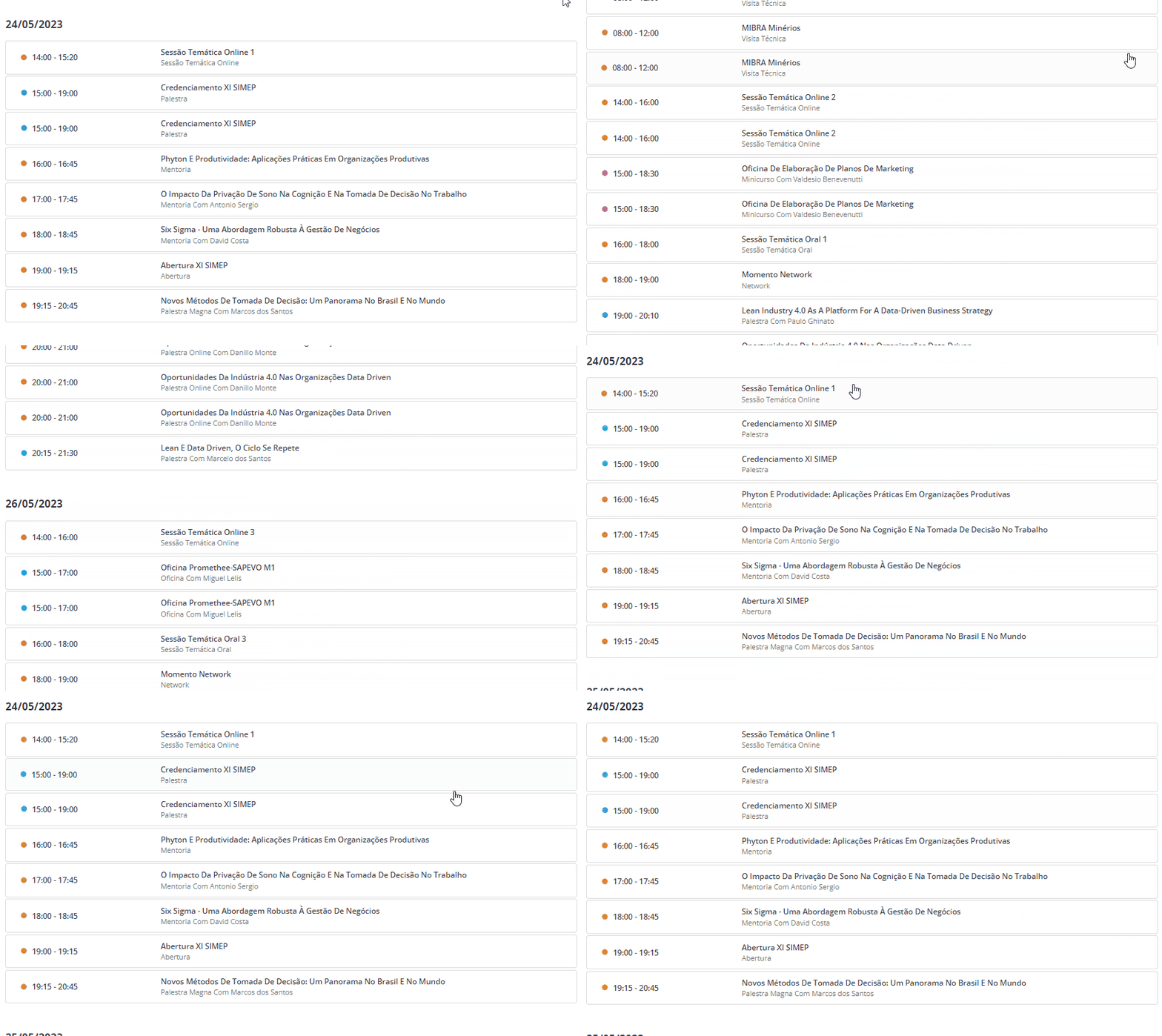
On Even3, you can create activities separately and organize them within the event’s schedule.
This makes it easier to see time slots and better distribute talks across different tracks, reducing conflicts and making the agenda more intuitive for attendees.
5. Give each track a clear name
The name needs to quickly communicate what the track is about.
- Good examples: “Digital Marketing,” “People Management,” “Innovation in Healthcare.”
- Examples to avoid: “New Horizons,” “Journey of the Future,” “Miscellaneous.”
6. Visually identify each track
Visual identification makes it easier for attendees to navigate the schedule. Use:
- Colors specific to each track.
- Icons that reflect the theme.
- Categories and tags in the online schedule.
This way, attendees can quickly identify which activities belong to the path they want to follow.
This organization also improves communication in materials like the event website, app, social media, and printed schedule.
7. Organize registrations by track
Here’s a golden tip for organizing your event: if some tracks have limited spots or are aimed at specific audiences, it’s worth controlling access individually.
One strategy is to create different ticket categories, linking each one to the corresponding activities in the schedule.
How to do this on Even3
On Even3, you can create specific tickets for each track and restrict registration for activities to only the attendees who purchased that ticket type.
In practice, this means that:
- whoever buys the Artificial Intelligence Track ticket, for example, can only register for activities in that track;
- any attendee can view the full schedule and decide which track they want to attend;
- attendees with a general ticket can access all tracks, if that’s the event’s strategy.
Besides making it easier to manage capacity, this setup reduces registration errors, simplifies schedule management, and offers a more organized experience for attendees.
How to promote content tracks to increase engagement
Finally, your event could be split into a thousand tracks, but if attendees don’t understand how they work and what the purpose is, all that effort won’t have been worth it.
One of the main benefits of tracks is that they can be promoted separately and attract specific audiences. So, take advantage of the opportunity!
- Promote each track separately, highlighting topics and speakers in dedicated posts;
- Send segmented emails, presenting the most relevant track for each registrant’s profile;
- Create specific landing pages for each track, with its own schedule and selling points;
- Publish agendas by profile: instead of only promoting a general schedule, put together agenda suggestions for different audiences, for example, “what to attend if I’m an X”;
- Encourage attendees to build their own schedule in the event app, favoriting the activities in the track they chose.
On Even3, attendees can use the event app to check the schedule and build a personalized agenda with the activities they’ve registered for.
You’ll also find tools to create activities, manage registrations, sell tickets, track finances, automatically generate certificates, and much more!
On Even3, you can manage multiple events at once, copy settings, and simplify the organization of content tracks.



