At scientific, technical, and academic events, you need to control participant check-in.
But what’s the best solution for organizing check-in? The classic paper list isn’t the best solution anymore, right?
By using an online platform to sell your event’s tickets, you can have full control over which participants actually enter your event.
And if that platform is integrated with a check-in app, even better! With an app, you can also handle entry control with more security and much more convenience.
The best solution for fast check-in is through an app. In fact, technology can be a great ally for your event, making organization easier overall.
With the app, you avoid lines forming at the entrance, make it easier to track student participation in activities, and even log paper presentations, which also makes issuing certificates to participants easier.
Why Use a Check-in App?
At most events, there are staff members with computers at desks near the entrance.
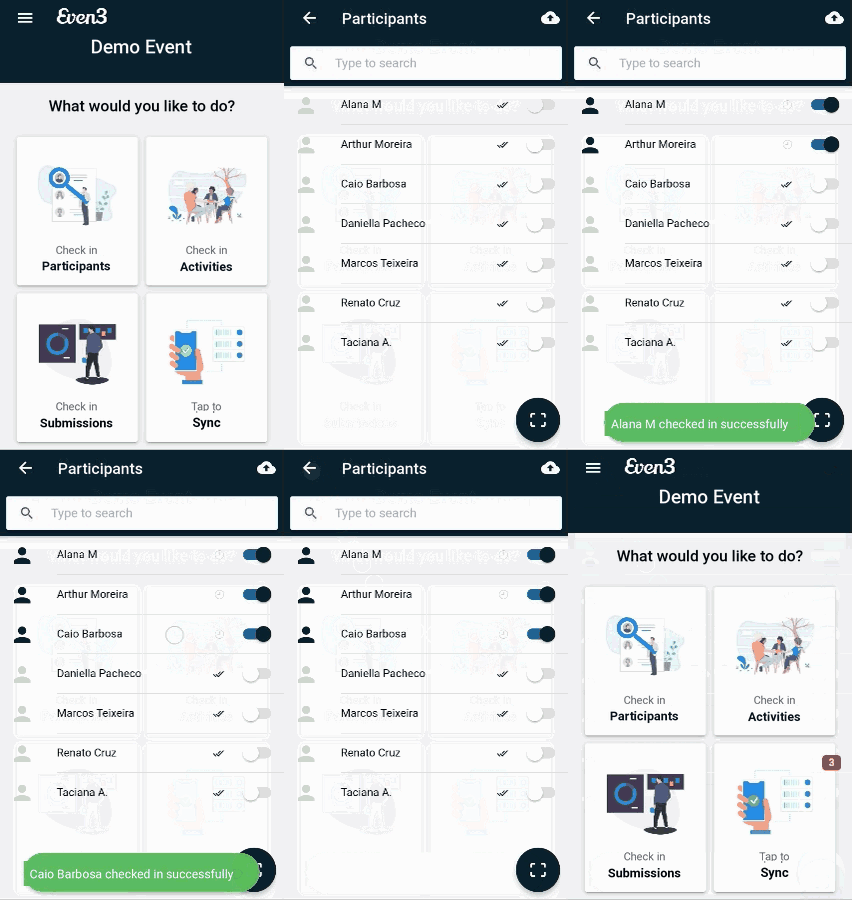
Unlike a computer, using a check-in app lets you control entries by scanning a QR code in under 5 seconds, validating the ticket and flagging possible counterfeits.
It’s much faster than a paper list — where you waste a lot of time searching for names — and much more secure. Because it’s faster, it reduces lines at events, moving one participant after another without delay.
Advantages of Using a QR Code
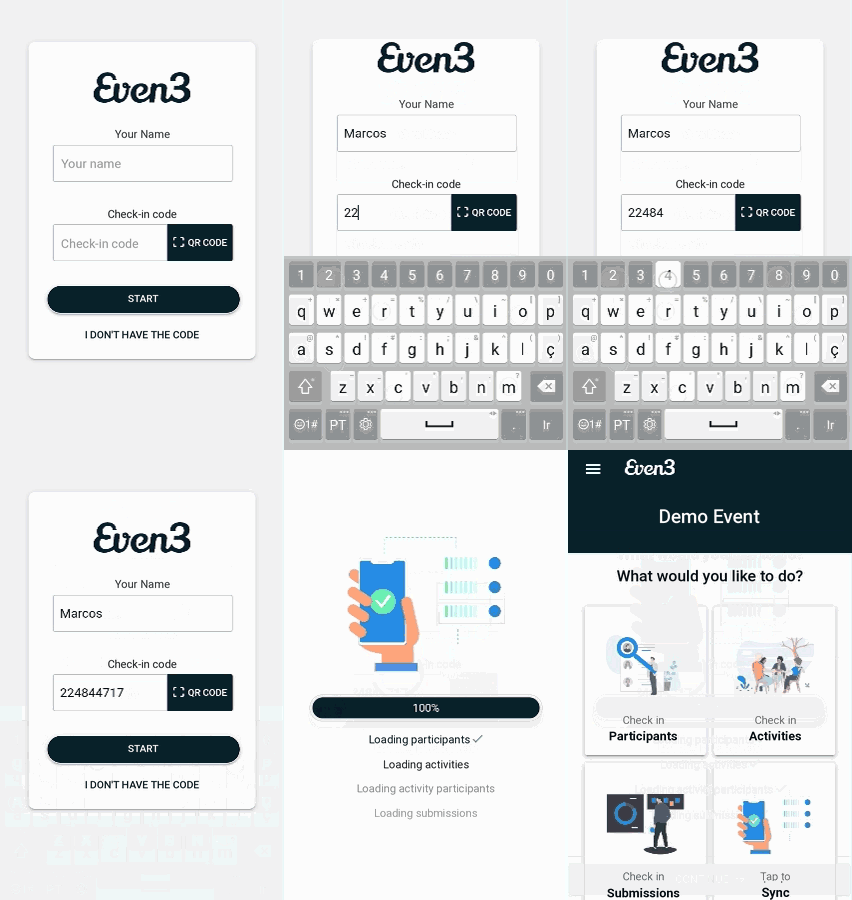
To help you understand better, a QR code is a coded image that can be read with a phone’s camera. Scanning the QR code with the check-in app eliminates the manual work of checking in each participant one by one within the app.
But how does it work? The app generates a unique QR code for each participant.
On the day of the event, it’s very important for participants to have their QR code on hand, since it saves a lot of time at check-in.
You’re probably wondering how participants get their QR code, right? When registering, participants print out a receipt that already includes their QR code.
If a participant doesn’t bring their receipt, you can print the entire list with labels before the event, on sticker paper, with QR codes to attach to each participant’s badge — or you can ask the participant to open their receipt directly on their phone.
Choose an App That Works Offline
Since the internet can fail at times, you should choose an app that works offline.
Without relying on an internet connection, you can keep controlling participant entry without interruption. Imagine if the system went down and created a massive line at your event? That’s why it’s always better to use a solution that eliminates that possibility.
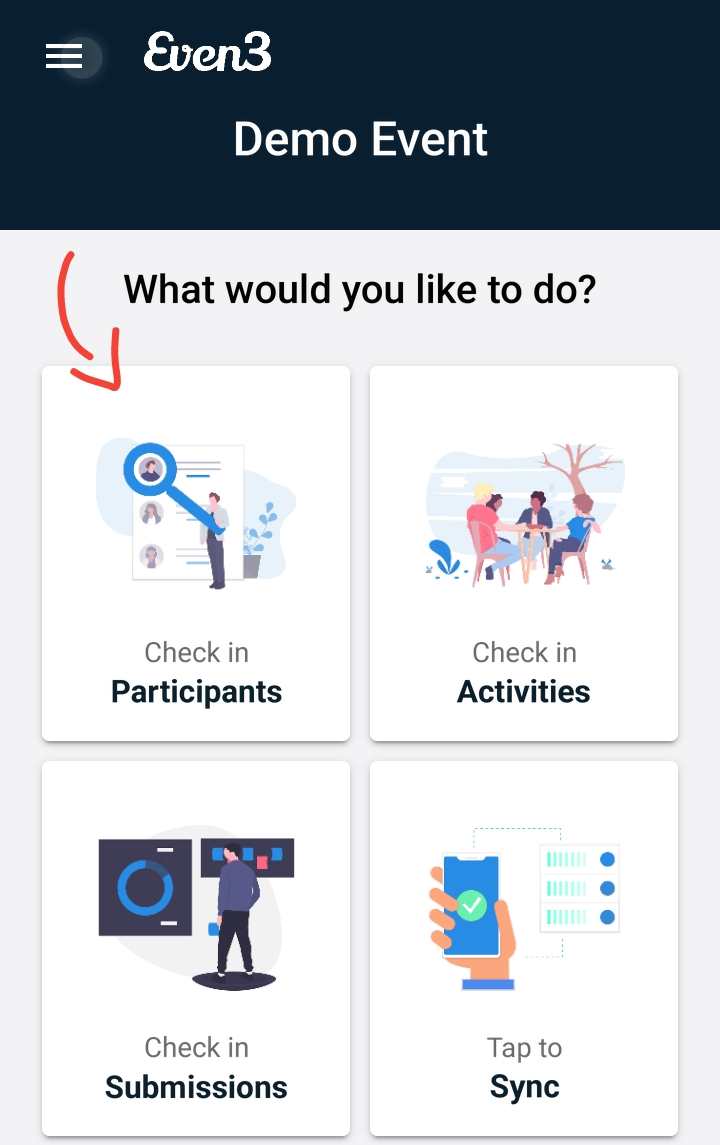
In the app below, you can see it loads all the information before opening — event data, activities, papers — so you don’t need to worry about a lack of internet on the day of the event.
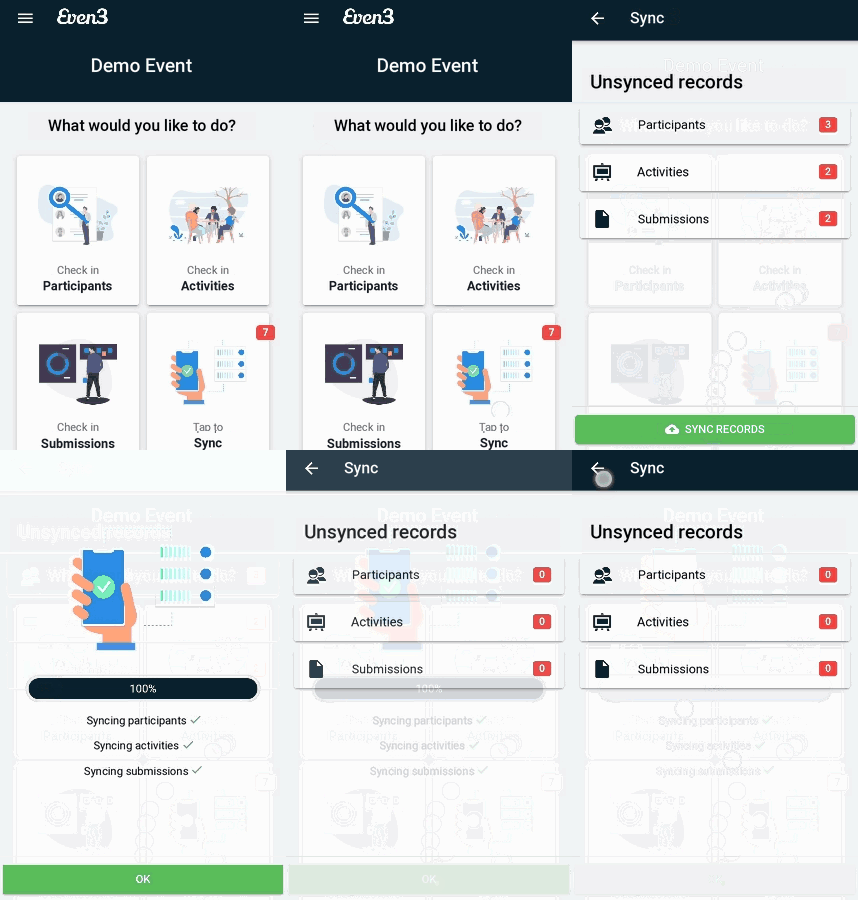
You might be wondering how the event’s website will know which participants showed up if the app was working without internet.
Simple — after doing everything offline, you just need to sync the information.
Control That Goes Way Beyond Registrations
By checking a participant in through the app, you confirm their attendance at the event. In other words, the participant registers on the platform, and once checked in, they can get their certificate at the end of the event.
Check-in for Each Specific Activity
Many events have activities like talks, short courses, panel discussions, and more. Have you thought about checking participants in for each individual activity?
Check participants in for the event, for activities, and even for submissions! All online or offline.
Tracking participant entry at each activity helps you confirm whether registered people actually attended. You can set up a team at your event’s entrance to validate attendance, and also place someone at each activity’s entrance to confirm attendance in the app. This way, there’s no risk of someone who didn’t attend receiving credit hours for their certificate.
Confirming Paper Presentations
Some events run paper submission and presentation processes. Wouldn’t it be great if, during the event, reviewers could mark off participants presenting their poster or slides?
With the app, you can also keep track of which papers were presented and which weren’t.
Have you ever imagined finding all these features in a single app? With that in mind, Even3 built an app to make check-in even faster (you can download the app for Android or iOS).