
Sending in papers and activities for scientific events is something that requires a lot of attention and care. Today we’re really excited to explain how a submission tool can help your event.
Put an end to wasted hours organizing papers through emails, forms, and spreadsheets.
Automate online submissions and save all the time that would otherwise be wasted on manual work.
What Should a Paper Submission Tool Offer?
Submission Schedule
Control over the schedule, with automatic opening and closing of submissions.
Categories and Thematic Areas
Register categories and thematic areas to organize and classify submitted papers and activities.
Set Limits and Restrictions
Limit the number of papers per participant and set submission restrictions.
File Storage
Cloud file storage, always available to participants and organizers.
Tracking
Keep participants in the loop about everything that happens. They receive email notifications and can track evaluation progress.
Revision
If a participant’s paper needs revision, the system can release it back to them so they can make the necessary corrections.
Text/Form Submission
Managing papers and other activities doesn’t need to be a headache. That’s why we’re simplifying submission formats.
Within our submission tool, you can submit materials as plain text, without needing to attach files.
This is a great way to collect abstracts, for example.
In the organizer’s area, when registering a category, you can now select the desired submission format (file or text).
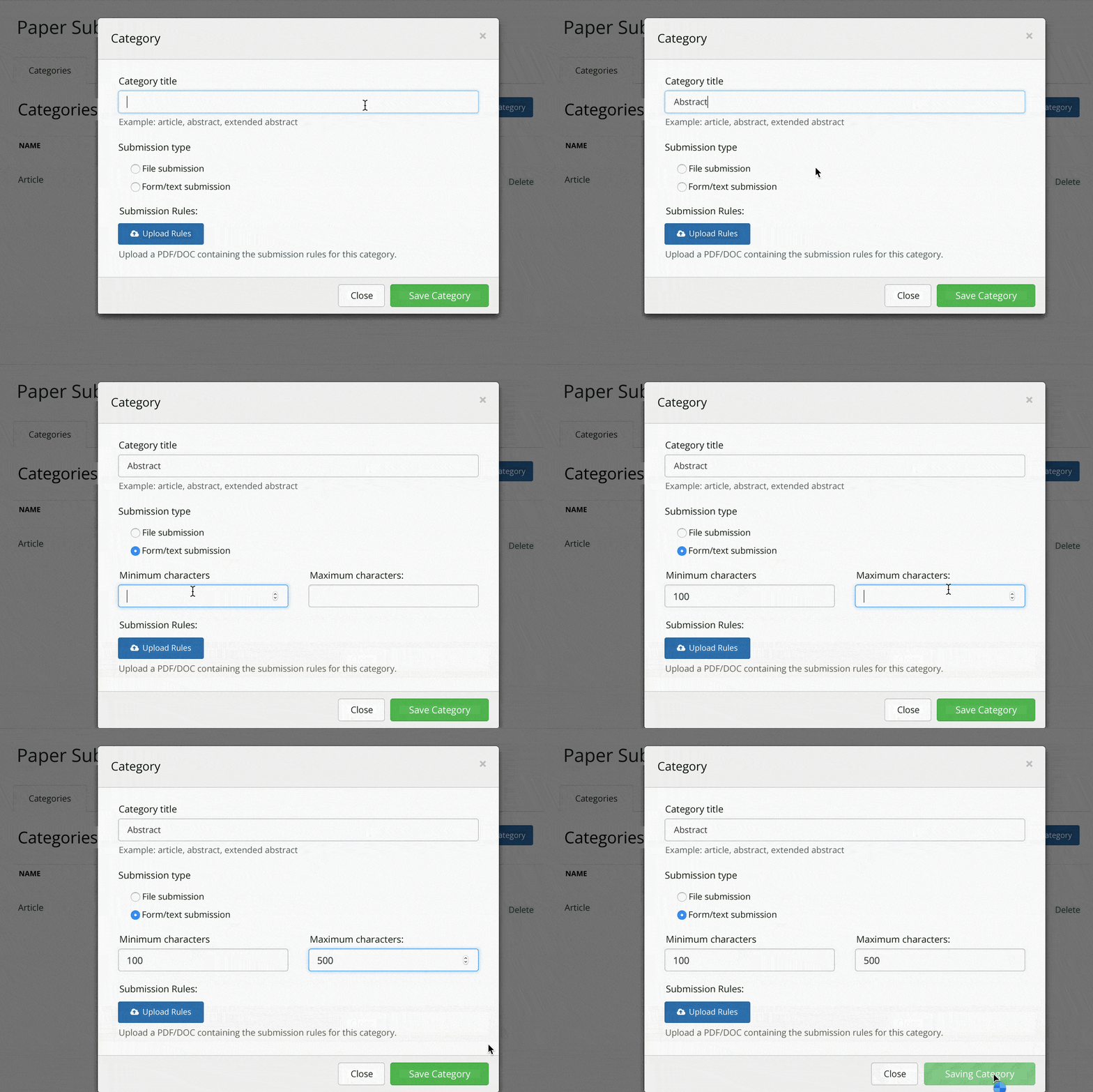
At submission time, the participant needs to choose the category of material they’re sending. Depending on the chosen category (abstract, article…), the participant will need to fill in certain information about the material.
This information can vary, but our system automatically adapts to change the following fields.
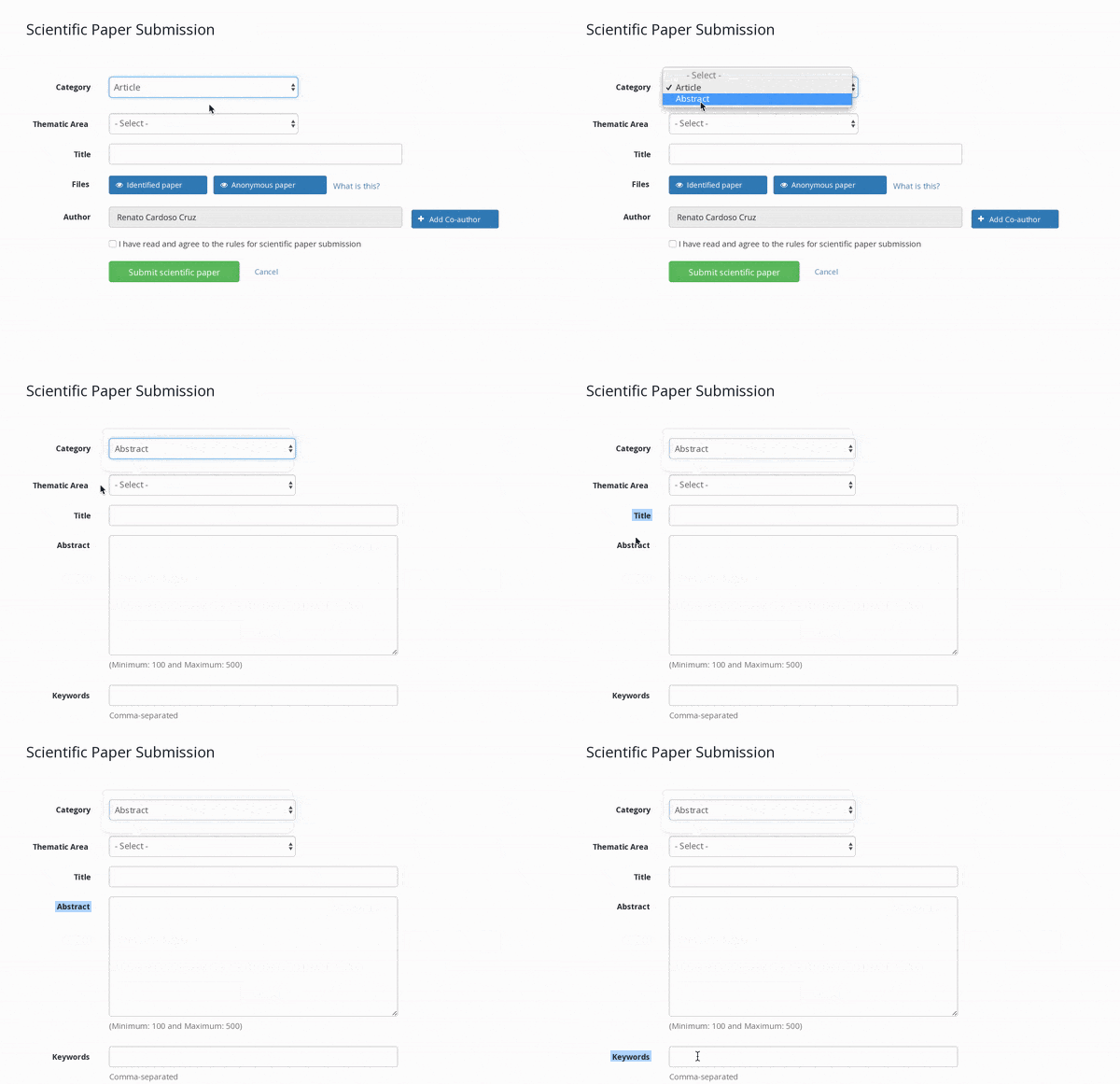
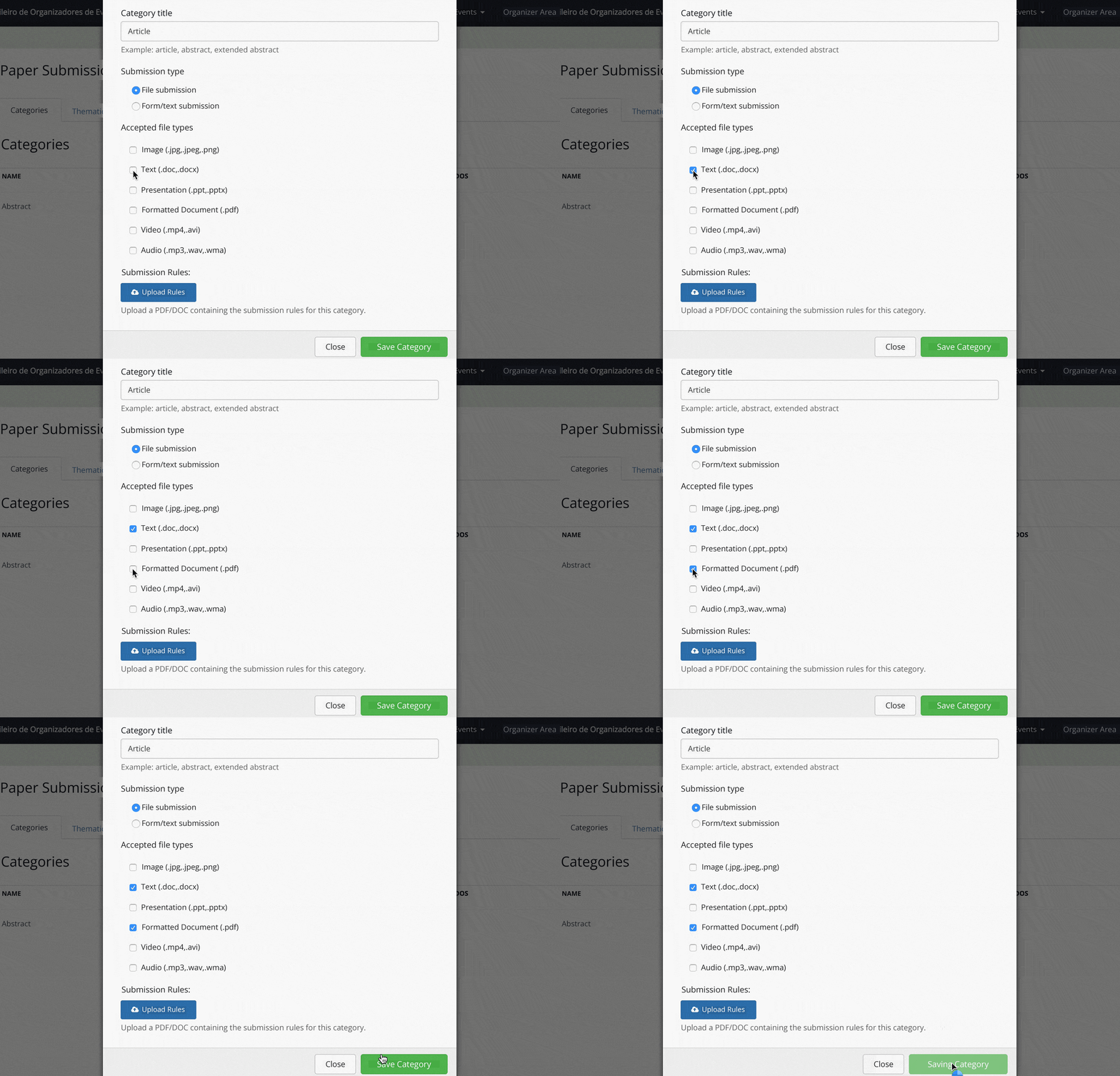
Set the File Formats Participants Must Submit
Another important point is being able to choose which formats papers can be submitted in. You can choose from PDF, Word, PowerPoint, photos, images, or videos, for example.
Author Ordering

We’ve talked a lot on this blog about author ordering, right?
With that in mind, Even3’s submission tool lets participants order the authors when submitting their papers.
We also provide a space for participants to define who will present the paper on the day of the event.
Full Control Over Results
Our submission tool comes with an amazing results announcement system!
Reviews for papers and activities can be sent by email to the participant, or made available in the participant’s area along with the acceptance letter.
Instant Results
Announce results to every author by email with just one click.
Acceptance Letter
Automatically create signed acceptance letters for every paper approved at your event.
Online Proceedings
Create a lasting record of the event by generating online proceedings, complete with a catalog record, ISBN, and ISSN.
Scientific Program
Automatically build your event’s paper presentation schedule! Distribute presentations across tracks and sessions, based on room availability.
Downloads
Have all your event’s submitted files available in a simple, efficient, and fast way.
Export
Have all the information about submitted papers right at hand. With our submission tool, you can export submission, evaluation, and results data to Excel.
That’s it! With a submission tool, you can put an end to the mess, leaving behind spreadsheets and email chaos.