If you organize events for companies or institutions — whether an internal conference, an open training session, or an industry conference — you’ve probably experienced this: the event is great, the schedule is solid, but registrations aren’t coming in at the expected pace.
The problem is almost never the event itself. It’s the absence of a structured registration funnel — a clear path that takes the audience from first contact to confirmed attendance.
In this post, you’ll understand what this funnel is, how it works in practice, and what to do at each stage to increase your conversion rates.
Why are events strategic for institutions?
Before talking about the funnel, it’s worth taking a step back to understand why it’s worth investing in this.
Events aren’t just branding actions. In fact, they’ve become a strategic pillar for companies that want to generate business, strengthen relationships, and position their brand with authority.
The data confirms this trend. The corporate events sector grew significantly in recent years as companies rediscovered the value of in-person and hybrid gatherings for building trust at scale.
In-person and online gatherings that are well structured bring customers closer, train teams, qualify leads, and generate business opportunities that rarely arise through other channels.
In other words, well-executed events have a direct impact on company results. That’s why optimizing the registration process is a real growth lever.
What is a registration funnel?
A registration funnel represents the stages a potential participant goes through, from the moment they discover your event to the moment they complete registration — and, ideally, show up on the day.
Just like in marketing, the funnel has a top, middle, and bottom:
- Top — discovery
The person discovers that the event exists. It could be through an email, a social media post, a colleague’s recommendation, or a paid ad.
- Middle — consideration
They visit the event page, read about the schedule and speakers, and evaluate whether it’s worth their time (and the investment, if there’s a ticket).
- Bottom — conversion
They decide to register — and complete the process without abandoning the form halfway through.
- Post-registration — engagement
The participant receives communications that keep their interest alive until the day of the event, reducing the no-show rate.
Why does this matter?
The funnel is a strategy for tracking and improving your sales.
After all, without understanding where people “drop off” the funnel, you invest energy in the wrong place.
For example, if the top is full but registrations aren’t coming in, the problem is in the middle or bottom, not in your outreach.
How to build a registration funnel for institutional events
Stage 1 — Top: generate qualified traffic
The first goal is to bring the right people to the registration page. “Right” is the keyword: attracting a thousand uninterested people creates work without results.
Channels that work for institutional events
- Email marketing to your own base: lists from previous editions, website leads, customer base
- LinkedIn for B2B and corporate events, with targeting by role and industry
- Partnerships with associations, boards, and industry organizations
- WhatsApp for communities and groups aligned with the event’s profile
- Google Ads with intent-based keywords (e.g., “HR conference 2025”, “leadership workshop”)
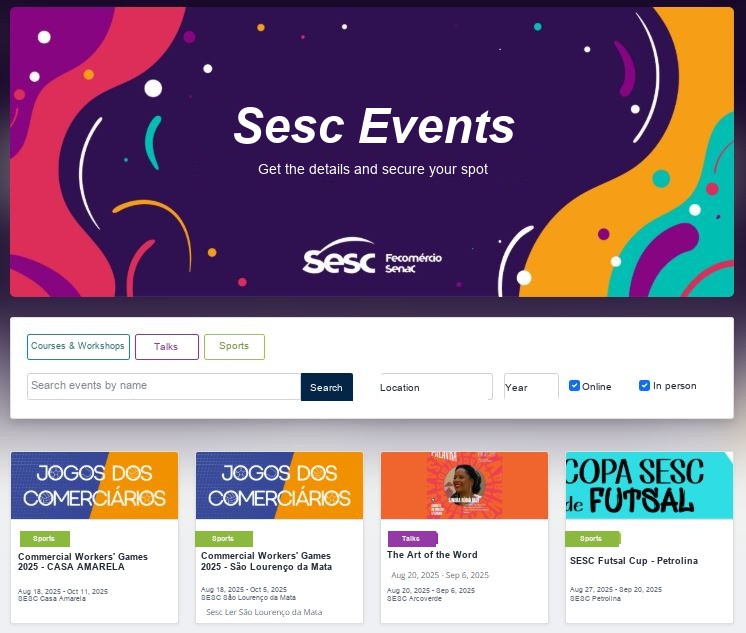
- The institution’s event portal: a centralized showcase the audience already knows and checks regularly
For example, a technology company wants to promote an automation workshop for operations managers.
Instead of boosting generic posts, it creates a custom audience on LinkedIn filtered by role (manager, coordinator, head) and industry (logistics, manufacturing, retail).
As a result, cost per click drops, the registration rate rises, and the event attracts exactly the participant profile that generates value for the company.
Tip for institutions with multiple events: Maintaining a centralized portal with all your events (as a brand hub) makes it easy for participants from previous editions to naturally discover new events, without relying on paid campaigns for every launch.
Stage 2 — Middle: convince them on the event page
The person has reached your page. Now you have, on average, less than 30 seconds to convince them it’s worth continuing. In that time, the page needs to clearly and directly answer three questions:
- What is this event, and who is it for?
- What will I gain by attending?
- How and when do I register?
Elements that increase page conversion
Benefit-driven description
Focus on what the participant will learn or solve, not just the schedule.
For example, “You’ll leave with an action plan to reduce turnover” converts better than “talk about people management”.
Social proof and institutional authority
Include registrant counts, testimonials from past editions, logos of participating companies, and speaker credentials. This reduces hesitation, especially for people who don’t know your institution yet.
Real urgency
Limited spots, time-limited pricing tiers, or benefits for early registration (like access to exclusive materials) work when they’re genuine. Remember that artificial urgency erodes your brand’s credibility.
Mobile-optimized page
Many visits to event pages come from mobile devices. If the form doesn’t display well on mobile — or takes too long to load — you lose registrations silently.
Discount coupons and pricing tiers
Offering links with automatically applied coupons makes segmented outreach easier — you can create distinct coupons for partners, members, or specific groups and track where registrations come from.
Stage 3 — Bottom: simplify registration
This is a very important stage. It’s where many events silently lose participants.
Imagine: someone decided to register, but the process is too long, confusing, or has technical glitches. Naturally, they abandon the form (and sometimes never come back).
Best practices for the registration form
- Ask only for the essentials: name, email, and role are usually enough for free events
- Use autofill and smart fields that make the process easier on mobile
- Show progress on longer forms (“Step 1 of 3”) to reduce the feeling of bureaucracy
- Confirm registration immediately and automatically by email
- Offer the option to add the event to the calendar right after confirmation
- Ensure multiple payment methods for paid events: card, bank transfer, etc.
Note: every extra field on the form reduces the completion rate. If you need additional data (company size, area of expertise, expectations), collect it later in a pre-event survey or at check-in.
Stage 4 — Post-registration: reduce no-shows with engagement
You know that a registration isn’t a guaranteed attendance, right?
In free events, it’s common for a significant share of registrants to simply not show up on the day.
This can happen due to forgetfulness, schedule conflicts, or a lack of engagement with the event between registration and the event date.
That’s why a structured communication sequence between registration and the event can change this scenario.
An email sequence that works
- Immediately after registration: confirmation email with all practical details (location or link, time, what to bring or prepare)
- 7 days before: reminder with the detailed schedule, speaker highlights, and warm-up content (article, video, relevant data)
- 48 hours before: reminder with access instructions or directions, reinforcing the event’s value
- On the day: morning message with the link or address, especially for online events
Best practice: use emails segmented by profile whenever possible. For example, a participant registered as “beginner” can receive a different message than someone who registered as “expert”. This increases relevance and, consequently, attendance.
How to measure whether your funnel is working
Finally, you can’t improve what you don’t measure. Track metrics for each edition of the event and compare them to previous ones to identify where the funnel is improving (or stalling).
1. Page conversion rate
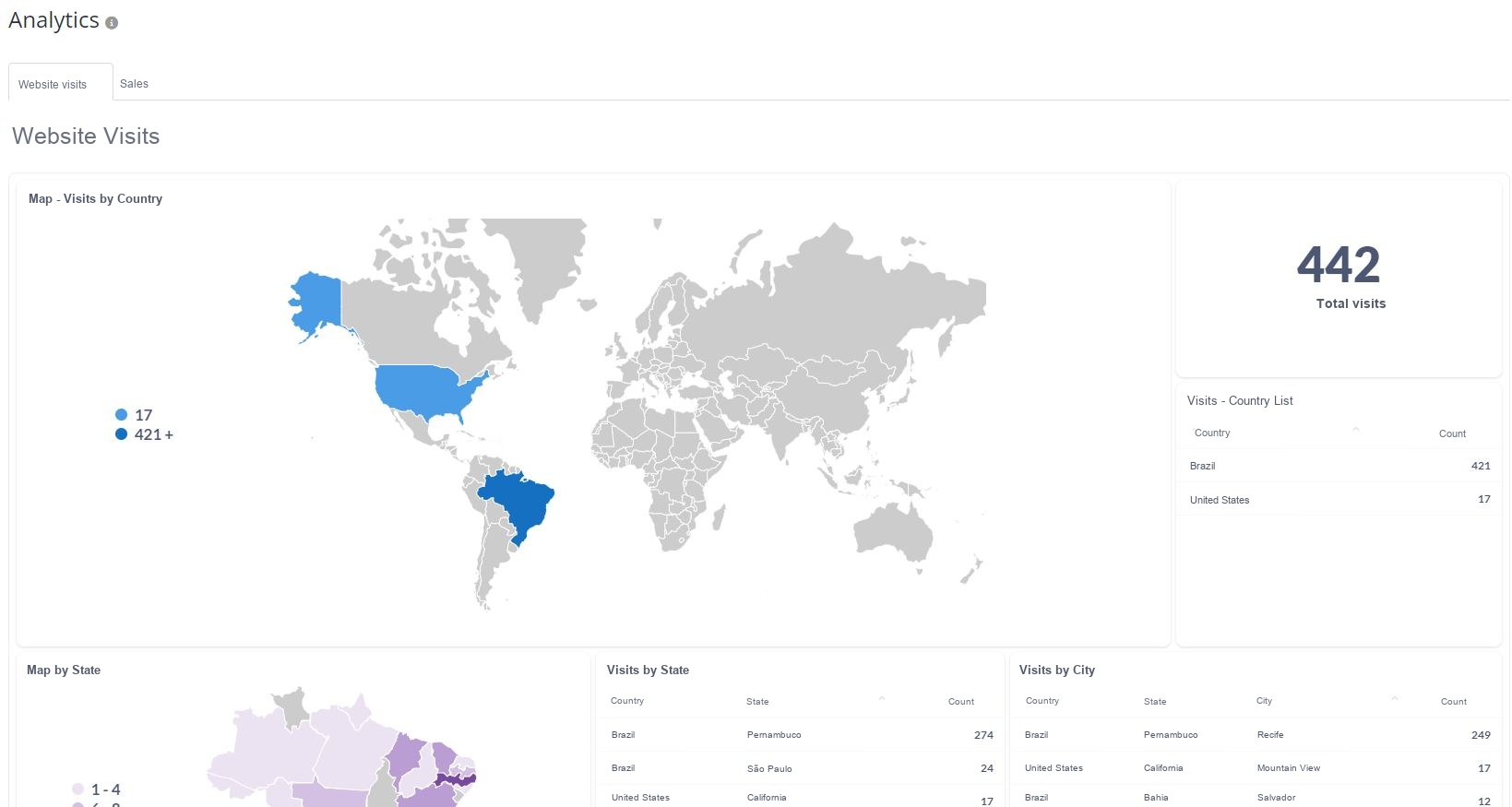
Unique visitors (visible in Google Ads or Even3 Analytics) ÷ registrations.
Below 10% for free events indicates a problem with the page or with the profile of the audience reaching it.
2. Form abandonment rate
People who start the form but don’t complete it. If this rate is high, the registration process is too complex or too long.
You can measure this rate by comparing the number of people who opened the form page but didn’t reach the registration confirmation page.
3. Registration source
Which channel brought the most registrants — and which brought the participants who showed up the most. This guides where to invest in the next edition.
4. Attendance rate
Checked-in ÷ registered. Below 50% for free events indicates a failure in pre-event communication or low engagement with the brand.
You can measure the attendance rate automatically with event platforms like Even3, since they show the percentage of participants present in real time.
How an event platform simplifies this entire process
As mentioned, event platforms can make structuring a sales funnel simpler and more efficient.
After all, this work involves many parts: creating the event page, setting up the form, sending automatic emails, tracking registration data in real time, managing multiple events at once…
Doing all of this manually, with separate tools, is expensive, slow, and error-prone.
This is where a specialized event platform makes the difference. Instead of stitching tools together, you operate everything in a single environment.
With Even3 for Companies, for example, you can:
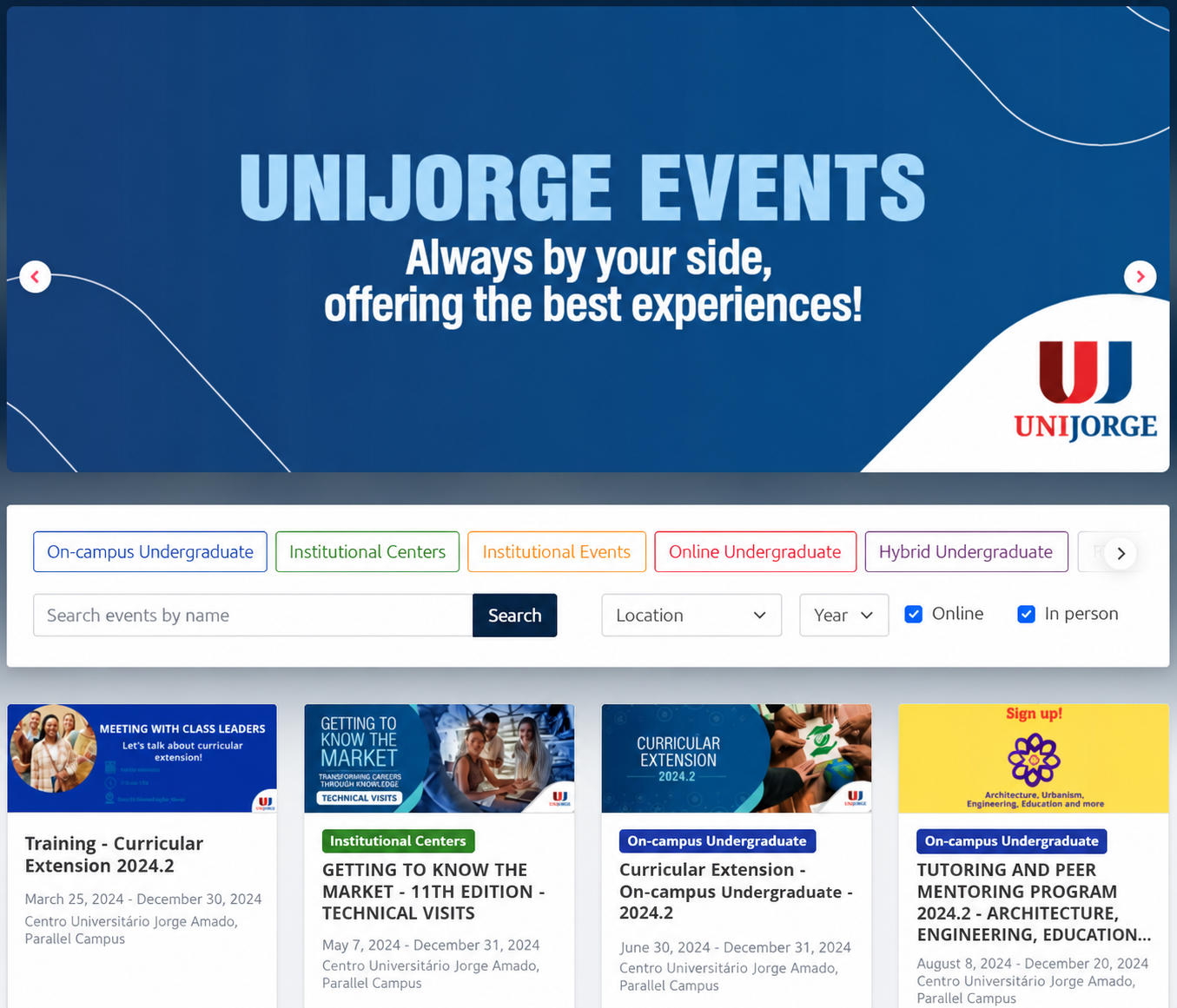
Centralized event portal
All your events gathered on one exclusive institutional page, segmented by category, with your own URL and your brand’s visual identity.
Custom forms
Create forms with the fields you need, different input types, and track registrants in real time from the dashboard.
Automated emails
Send confirmations, reminders, and segmented communications directly from the platform, with ready-made templates and sending without leaving the system.
CRM and marketing integrations
Connect Even3 to the tools you already use — HubSpot, RD Station, Google Analytics, and others — to feed your marketing funnel with participant data.
Reports and financial dashboard
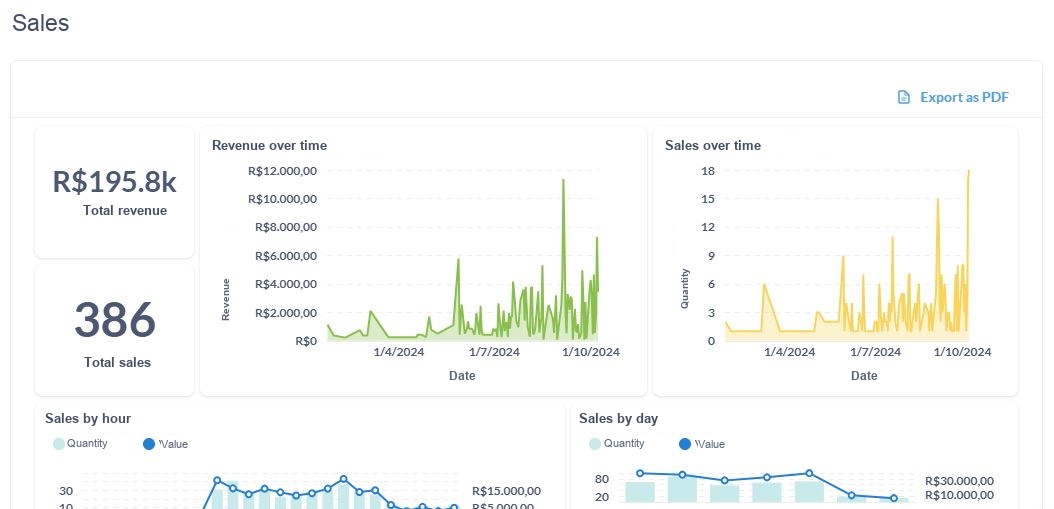
Track registrations, revenue, and impact across all your events on one unified dashboard, with custom reports by event or period.
Templates and reuse
Copy settings from previous events and create standardized templates for the institution, reducing setup time for each new edition.
For private events: Even3 for Companies also lets you create closed events, accessible only by unique link, password, or invitation — ideal for internal training, client meetings, or events restricted to specific profiles.
The result is a faster funnel, with less manual work, more data for decision-making, and a more professional experience for the participant — from the first click to the certificate.



